
Test1 The HMJ Lore
Creator: Crminer21 · 2026-04-26 · Mods · Free on Eaglercraft Studio
Download Test1 The HMJ Lore — free Minecraft mod. Created by Crminer21. Tagged other. Check the file details for Forge, Fabric, or NeoForge before installing.
Creator notes
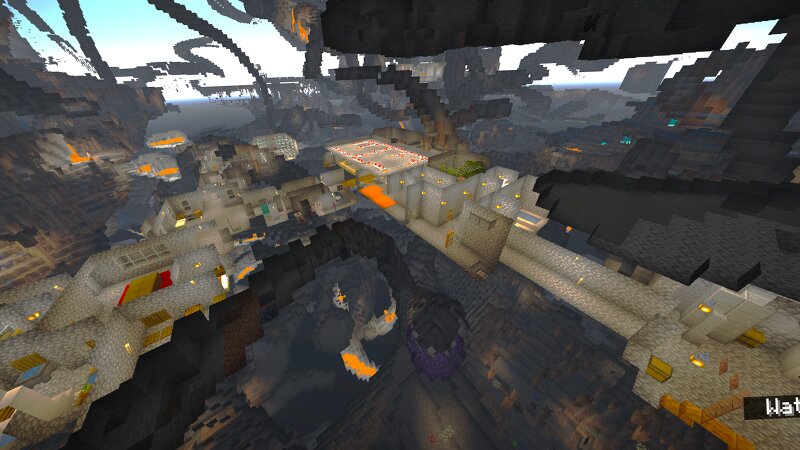
Hello, I'm New to the world of modding, and I hope you'll enjoy my first creation. It's a small mixed mod, Known as Test1. This mod is for |Minecraft Java version 1.21.8 Neoforge| And more versions might come in later updates. I'm always open to feedback and any bug reports that players have Although I don't plan to add a new content to this mod, I will still refine features and fix bugs when I see necessary. I hope to have a lot of other mods in works soon as well. How to install For anyone who's new to using mods, let me give you a base rundown, but please note. If you are new to using mods in Minecraft, please look up a video on YouTube for it'll be easier than these instructions. After downloading the mod, press And hold window Then R on the keyboard. In the run, pop-up that will appear on screen put in app data and press OK from there. Go through the following file structures roaming > .minecraft > mods Here is where you will need to put the mod's jar file. Along with your mod, loader. If you do not know what a mod loader is or do not have one. Please look up a download tutorial on YouTube. What You can expect with this mod. • Randomly Generating Labyrinths with set loot acros
Added value
What’s included on this page
Preview, categories, compatibility, and tools on this page — not a bare file mirror.
- Creator
- Crminer21
- Source
- Minecraft downloads library on Eaglercraft Studio
- Type
- Minecraft mod
- Price
- Free download on Eaglercraft Studio
- Curation
- Listed with credit to Crminer21 · studio preview & install guide
- Game Version
- Minecraft 26.1.1
- Compatible with
- Minecraft Java (match version / loader in facts)
- Tags
- Other
Install guide
How to install this free Minecraft mod
Eaglercraft Studio listing with metadata, creator credit, and loader-aware install guidance.
- 1Download the jar/zip when available.
- 2Install the matching loader (Forge, Fabric, or NeoForge) for your Minecraft version.
- 3Drop the mod into your mods folder, then launch with that profile.
Wrong loader or game version usually crashes on startup — read the facts on this page first.
Related free mods
More curated mods from the same library section.

Pastelmooncrafting15 · 67 diamonds · 20 views

PotatoWolfie · 60 diamonds · 2 views

PotatoWolfie · 53 diamonds · 622 views

Janss_33PL · 47 diamonds · 940 views