
The Backrooms
Creator: Mint Studios · 2026-03-30 · Mods · Free on Eaglercraft Studio
Download The Backrooms — free Minecraft mod. Created by Mint Studios. Tagged backrooms, bedrock, minecraft, new content. Check the file details for Forge, Fabric, or NeoForge before installing.
Creator notes
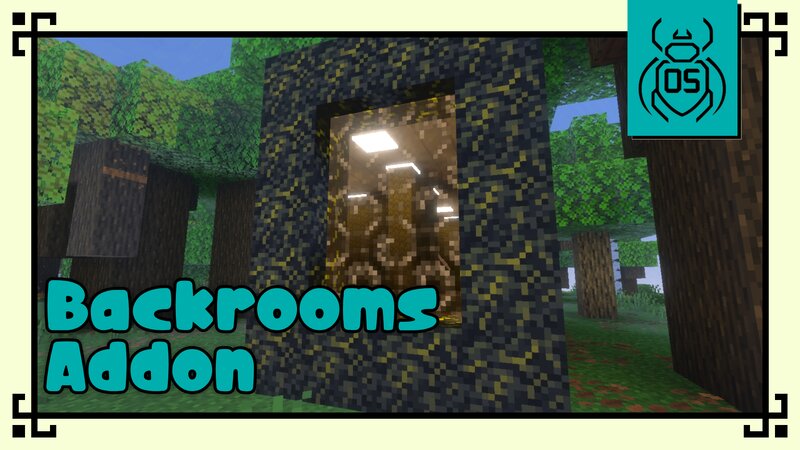
🟡 The Backrooms Addon (Beta) ⚠️ Important Notice This addon is currently in Beta . It is highly recommended to install it in a new world , as the Backrooms dimension generates its own structures and layout. Future updates may introduce major changes, including new levels, mechanics, and entities. 🧩 Main Features 🌌 A New Infinite Dimension The Backrooms addon introduces a completely new dimension to Minecraft Bedrock. Infinite in size (horizontal generation) Limited vertical space Procedurally generated layout You will easily get lost… and finding your way back might not be so simple. 🟨 Level 0 (Current Beta Level) At the moment, the addon includes a single level inspired by the classic Level 0 : Patterned yellow walls Carpet-like floors Bright ceiling lights The environment is repetitive, unsettling, and disorienting — just like the Backrooms should be. 📦 Basic Loot System While exploring, you may find small rooms with basic loot . These are limited for now, but will expand in future updates with: Better rewards New structures More exploration elements 😨 Entities The dimension currently includes 2 unique enemies : 👁️ Smiler Dangerous and aggressive Drops valuable and rare items 👤 D
Added value
What’s included on this page
Preview, categories, compatibility, and tools on this page — not a bare file mirror.
- Creator
- Mint Studios
- Source
- Minecraft downloads library on Eaglercraft Studio
- Type
- Minecraft mod
- Price
- Free download on Eaglercraft Studio
- Curation
- Listed with credit to Mint Studios · studio preview & install guide
- Game Version
- Minecraft 26.1
- Compatible with
- Minecraft Java (match version / loader in facts)
- Tags
- Backrooms, Bedrock, Minecraft, New Content
Install guide
How to install this free Minecraft mod
Eaglercraft Studio listing with metadata, creator credit, and loader-aware install guidance.
- 1Download the jar/zip when available.
- 2Install the matching loader (Forge, Fabric, or NeoForge) for your Minecraft version.
- 3Drop the mod into your mods folder, then launch with that profile.
Wrong loader or game version usually crashes on startup — read the facts on this page first.
Related free mods
More curated mods from the same library section.

Pastelmooncrafting15 · 67 diamonds · 20 views

PotatoWolfie · 60 diamonds · 2 views

PotatoWolfie · 53 diamonds · 622 views

Janss_33PL · 47 diamonds · 940 views