
The best cube game
Creator: User5353586G · 2026-02-11 · Mods · Free on Eaglercraft Studio
Download The best cube game — free Minecraft mod. Created by User5353586G. Tagged adventure, other. Check the file details for Forge, Fabric, or NeoForge before installing.
Creator notes
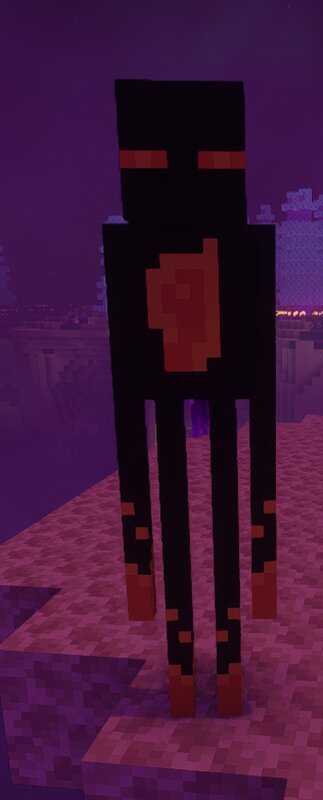
⭐ Transform Minecraft into a Living Survival RPG The Best Cube Game turns Minecraft into a massive progression-based survival experience with economy, vehicles, bosses and dozens of new systems. Your world becomes bigger, harder and far more rewarding. 🔥 MAIN FEATURES 💰 Real Economy System 🚗 50 Vehicles 👹 60 Mobs + 10 Bosses ⛏️ 50+ New Ores & Progression 🛡️ 40+ Armor Sets 🏦 Bank Robberies (Coming Soon) 🚔 Prison System (Coming Soon) 🌍 New Structures & Biomes 🔥 Content in Overworld, Nether & End __________________________________________________________________________________________________________________ 🎮 A New Way to Play Survival This mod transforms Minecraft into a progression-based adventure: Start with basic tools → discover new ores → craft powerful gear → earn money → buy items → fight bosses → unlock vehicles. Your survival world becomes a real progression journey. __________________________________________________________________________________________________________________ 💰 Economy System Earn money while playing and use it to buy items in the future shop system. Planned features: • Shops • Bank robberies • Prison system • Missions and rewards Your survival world w
Added value
What’s included on this page
Preview, categories, compatibility, and tools on this page — not a bare file mirror.
- Creator
- User5353586G
- Source
- Minecraft downloads library on Eaglercraft Studio
- Type
- Minecraft mod
- Price
- Free download on Eaglercraft Studio
- Curation
- Listed with credit to User5353586G · studio preview & install guide
- Game Version
- Minecraft 1.20.1
- Compatible with
- Minecraft Java (match version / loader in facts)
- Tags
- Adventure, Other
Install guide
How to install this free Minecraft mod
Eaglercraft Studio listing with metadata, creator credit, and loader-aware install guidance.
- 1Download the jar/zip when available.
- 2Install the matching loader (Forge, Fabric, or NeoForge) for your Minecraft version.
- 3Drop the mod into your mods folder, then launch with that profile.
Wrong loader or game version usually crashes on startup — read the facts on this page first.
Related free mods
More curated mods from the same library section.

Pastelmooncrafting15 · 67 diamonds · 20 views

PotatoWolfie · 60 diamonds · 2 views

PotatoWolfie · 53 diamonds · 622 views

Janss_33PL · 47 diamonds · 940 views