
The Best Mod
Creator: Andreas23130 · 2026-07-03 · Mods · Free on Eaglercraft Studio
Download The Best Mod — free Minecraft mod. Created by Andreas23130. Tagged new content. Check the file details for Forge, Fabric, or NeoForge before installing.
Creator notes
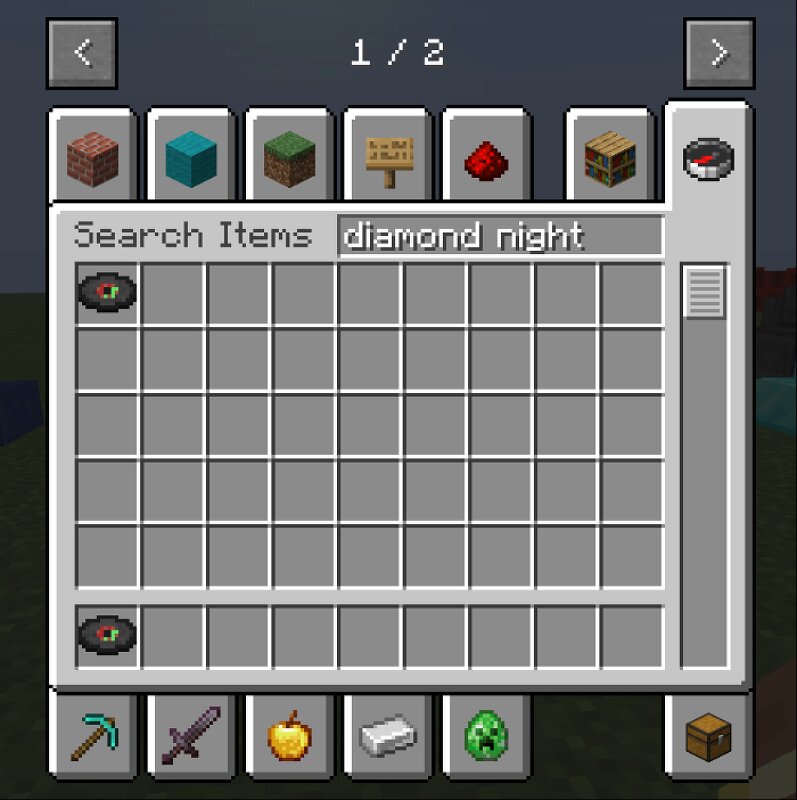
✨ Mod Update 1.1.0 Version 1.1.0 is here! This update adds a brand new custom music disc to the mod, while keeping all of the existing content from version 1.0.0 , including ruby tools, decorative ore block variants, and the custom crate storage block. 🆕 New in Version 1.1.0 🎵 Diamond Night Music Disc This update introduces a new custom music disc called Diamond Night . The disc can be played in a jukebox and includes a full custom song made for the mod. It has proper music length setup and works as a real playable music disc in-game. The goal of this addition was to give the mod a little more personality and make it feel even more complete with a custom audio feature. 📦 Existing Features from Version 1.0.0 This mod already includes several custom features from the previous version, such as: 💎 Ruby Tools Ruby has its own tool set, including: Ruby Sword Ruby Pickaxe Ruby Axe Ruby Shovel Ruby Hoe Note: Ruby currently does not include armor. 🧱 Ore Block Building Variants The mod includes extra building variants for many crafted ore and gem storage blocks made from 9 materials . For supported blocks such as Diamond, Coal, Iron, Gold, Emerald, Lapis, Redstone, Netherite, and similar sto
Added value
What’s included on this page
Preview, categories, compatibility, and tools on this page — not a bare file mirror.
- Creator
- Andreas23130
- Source
- Minecraft downloads library on Eaglercraft Studio
- Type
- Minecraft mod
- Price
- Free download on Eaglercraft Studio
- Curation
- Listed with credit to Andreas23130 · studio preview & install guide
- Game Version
- Minecraft 26.1.2
- Compatible with
- Minecraft Java (match version / loader in facts)
- Tags
- New Content
Install guide
How to install this free Minecraft mod
Eaglercraft Studio listing with metadata, creator credit, and loader-aware install guidance.
- 1Download the jar/zip when available.
- 2Install the matching loader (Forge, Fabric, or NeoForge) for your Minecraft version.
- 3Drop the mod into your mods folder, then launch with that profile.
Wrong loader or game version usually crashes on startup — read the facts on this page first.
Related free mods
More curated mods from the same library section.

Pastelmooncrafting15 · 67 diamonds · 20 views

PotatoWolfie · 60 diamonds · 2 views

PotatoWolfie · 53 diamonds · 622 views

Janss_33PL · 47 diamonds · 940 views