
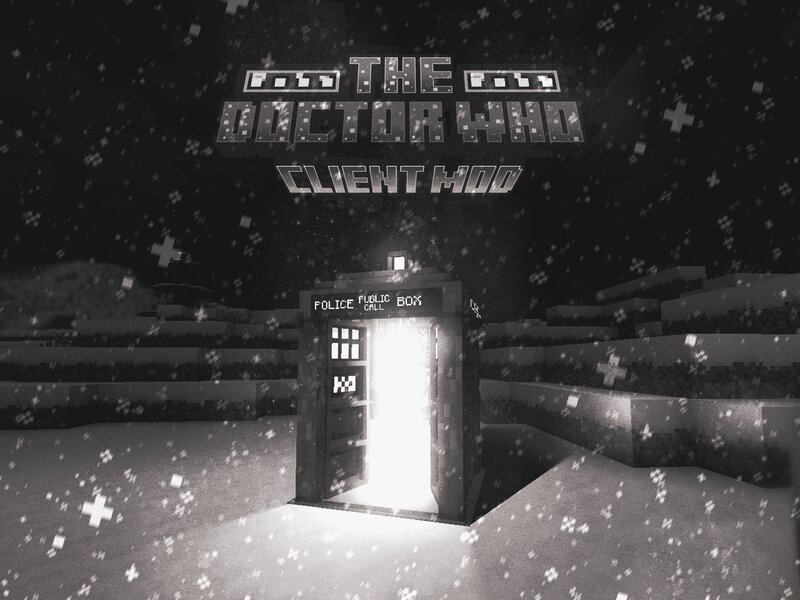
THE Doctor Who Client Mod
Creator: Jojo-- · 2025-12-28 · Mods · Free on Eaglercraft Studio
Download THE Doctor Who Client Mod — free Minecraft mod. Created by Jojo--. Tagged other. Check the file details for Forge, Fabric, or NeoForge before installing.
Creator notes
THE DOCTOR WHO CLIENT MOD (TDWCM) ABOUT THE Doctor Who Client Mod (TDWCM) is a faithful continuation of the classic Minecraft mod “Doctor Who Client Mod,” originally created by iKingsSGC. This revival is focused on recreating the authentic TARDIS experience, bringing back beloved features while introducing exciting new ones. FEATURES TARDIS – BIGGER ON THE INSIDE Experience the show's iconic, seamless "bigger on the inside" effect—see the vast interior from the small exterior doorway and vice versa! FULLY INTERACTIVE CONSOLE Pilot your TARDIS using a detailed, fully functional console built from modular blocks. DYNAMIC GUI SYSTEMS Control your TARDIS with a custom, draggable widget interface that puts all systems at your fingertips: - Translocator – Move the TARDIS with pinpoint accuracy using coordinates. - Music System – Enjoy atmospheric interior music every time you step inside. - World Selector System – Work in Progress – Soon, navigate between dimensions with ease! VIDEO SHOWCASE Watch the Christmas Alpha Release in action! Christmas Showcase DEPENDENCIES This mod requires the following to run properly: 1. Immersive Portals - Download 2. Geckolib - Download 3. Cloth Config -
Added value
What’s included on this page
Preview, categories, compatibility, and tools on this page — not a bare file mirror.
- Creator
- Jojo--
- Source
- Minecraft downloads library on Eaglercraft Studio
- Type
- Minecraft mod
- Price
- Free download on Eaglercraft Studio
- Curation
- Listed with credit to Jojo-- · studio preview & install guide
- Game Version
- Minecraft 1.21.1
- Compatible with
- Minecraft Java (match version / loader in facts)
- Tags
- Other
Install guide
How to install this free Minecraft mod
Eaglercraft Studio listing with metadata, creator credit, and loader-aware install guidance.
- 1Download the jar/zip when available.
- 2Install the matching loader (Forge, Fabric, or NeoForge) for your Minecraft version.
- 3Drop the mod into your mods folder, then launch with that profile.
Wrong loader or game version usually crashes on startup — read the facts on this page first.
Related free mods
More curated mods from the same library section.

Pastelmooncrafting15 · 67 diamonds · 20 views

PotatoWolfie · 60 diamonds · 2 views

PotatoWolfie · 53 diamonds · 622 views

Janss_33PL · 47 diamonds · 940 views