
The Watcher: Paranoia
Creator: Alikumb · 2026-08-24 · Mods · Free on Eaglercraft Studio
Download The Watcher: Paranoia — free Minecraft mod. Created by Alikumb. Tagged adventure, atmospheric, creepy, creepypasta. Check the file details for Forge, Fabric, or NeoForge before installing.
Creator notes
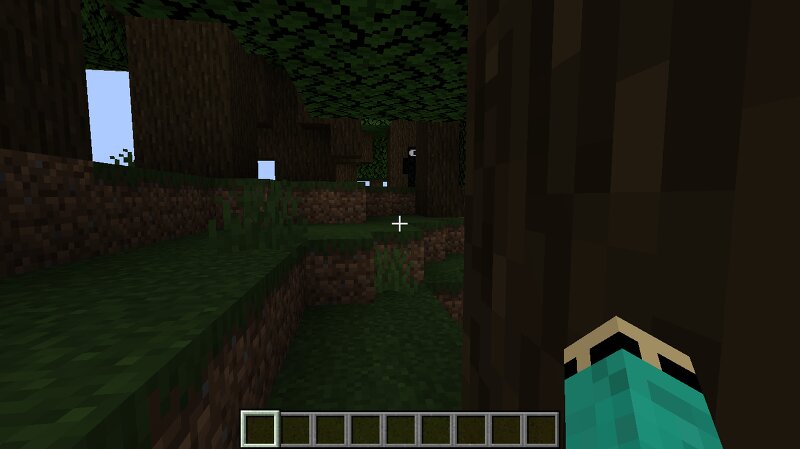
🌐 Supported Languages English Turkish French Italian German Russian Arabic 👁️ What's Inside? The Watcher: A creepy entity lurking right at the edge of your sight. Sometimes he just stands in the distance and vanishes if you charge at him; other times, he shows up when you least expect it. It appears at night and offers a very terrifying experience in the cave. Paranoia Mechanics: Torches randomly snapping off, sudden blindness popping up out of nowhere, slowness dragging your steps down, and disturbing ambient noises echoing around you. False Sense of Security: Think you're safe building your base or clicking a bed to skip the night? Think again. Custom Advancement Tree: Includes a dedicated Watcher Tab so you can track your journey deeper into the nightmare. Chat Messages: Messages that appear unexpectedly in a chat, it might be behind you. Coming While Doing Another Job: The watcher will start bothering you while you're busy with other things they might approach you, attack you, or spy on you from a distance.
Added value
What’s included on this page
Preview, categories, compatibility, and tools on this page — not a bare file mirror.
- Creator
- Alikumb
- Source
- Minecraft downloads library on Eaglercraft Studio
- Type
- Minecraft mod
- Price
- Free download on Eaglercraft Studio
- Curation
- Listed with credit to Alikumb · studio preview & install guide
- Game Version
- Minecraft 1.20.1
- Compatible with
- Minecraft Java (match version / loader in facts)
- Tags
- Adventure, Atmospheric, Creepy, Creepypasta, Herobrine, Horror
Install guide
How to install this free Minecraft mod
Eaglercraft Studio listing with metadata, creator credit, and loader-aware install guidance.
- 1Download the jar/zip when available.
- 2Install the matching loader (Forge, Fabric, or NeoForge) for your Minecraft version.
- 3Drop the mod into your mods folder, then launch with that profile.
Wrong loader or game version usually crashes on startup — read the facts on this page first.
Related free mods
More curated mods from the same library section.

Pastelmooncrafting15 · 67 diamonds · 20 views

PotatoWolfie · 60 diamonds · 2 views

PotatoWolfie · 53 diamonds · 622 views

Janss_33PL · 47 diamonds · 940 views