
Throw A Brick! – Brick Throwing Mod (NeoFroge 1.21.1)
Creator: Dromex1 · 2026-01-11 · Mods · Free on Eaglercraft Studio
Download Throw A Brick! – Brick Throwing Mod (NeoFroge 1.21.1) — free Minecraft mod. Created by Dromex1. Tagged brick, comabt, functional, levelingsystem. Check the file details for Forge, Fabric, or NeoForge before installing.
Creator notes
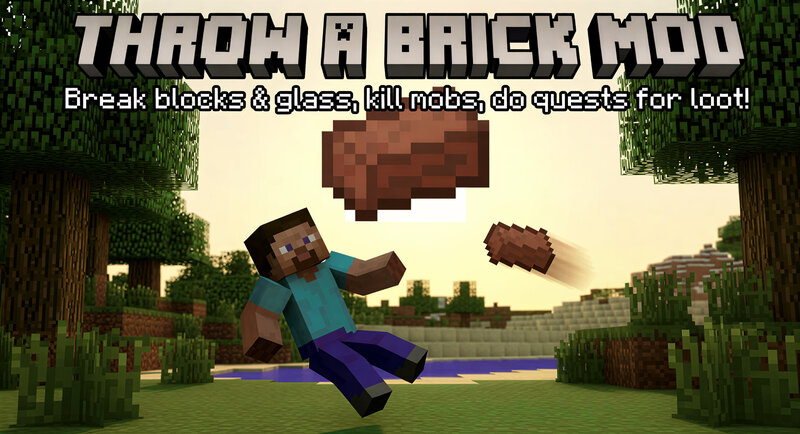
🧱 Throw A Brick! – The Ultimate Brick Throwing Mod Have you ever thought that bricks in Minecraft were just for building? Not anymore! Throw A Brick! transforms ordinary bricks into deadly (and useful) projectiles. Progress through levels, complete unique quests, and master the art of the brick! 🌟 Key Features: Projectile Combat: Launch standard bricks at your enemies, dealing significant damage (7.0 points). Environmental Destruction: Bricks aren't just for mobs. Use them to smash glass instantly or gradually wear down and destroy stone-based blocks. Progression System: Gain experience with every hit! Level up (all the way to Level 100) to unlock better rewards and face tougher challenges. Dynamic Quests: Press the [G] key to open your Quest Log. Complete tasks like "Kill X Mobs" or "Destroy X Blocks" to earn valuable loot. Custom Sound Effects: Includes unique audio for throwing (the famous "fiut" sound!) and hitting targets. Secure & Smart GUI: A fully protected, server-side chest menu ensures players cannot steal quest icons while providing real-time progress updates. 🎮 How to Play: Get Started: Receive a starter pack of 12 bricks automatically when joining a world for the fir
Added value
What’s included on this page
Preview, categories, compatibility, and tools on this page — not a bare file mirror.
- Creator
- Dromex1
- Source
- Minecraft downloads library on Eaglercraft Studio
- Type
- Minecraft mod
- Price
- Free download on Eaglercraft Studio
- Curation
- Listed with credit to Dromex1 · studio preview & install guide
- Game Version
- Minecraft 1.21.1
- Compatible with
- Minecraft Java (match version / loader in facts)
- Tags
- Brick, Comabt, Functional, Levelingsystem, Neoforge, New Content
Install guide
How to install this free Minecraft mod
Eaglercraft Studio listing with metadata, creator credit, and loader-aware install guidance.
- 1Download the jar/zip when available.
- 2Install the matching loader (Forge, Fabric, or NeoForge) for your Minecraft version.
- 3Drop the mod into your mods folder, then launch with that profile.
Wrong loader or game version usually crashes on startup — read the facts on this page first.
Related free mods
More curated mods from the same library section.

Pastelmooncrafting15 · 67 diamonds · 20 views

PotatoWolfie · 60 diamonds · 2 views

PotatoWolfie · 53 diamonds · 622 views

Janss_33PL · 47 diamonds · 940 views