
Travelers Backpack - Mod (Read Desc!)
Creator: xVenyartx · 2026-03-18 · Mods · Free on Eaglercraft Studio
Download Travelers Backpack - Mod (Read Desc!) — free Minecraft mod. Created by xVenyartx. Tagged other. Check the file details for Forge, Fabric, or NeoForge before installing.
Creator notes
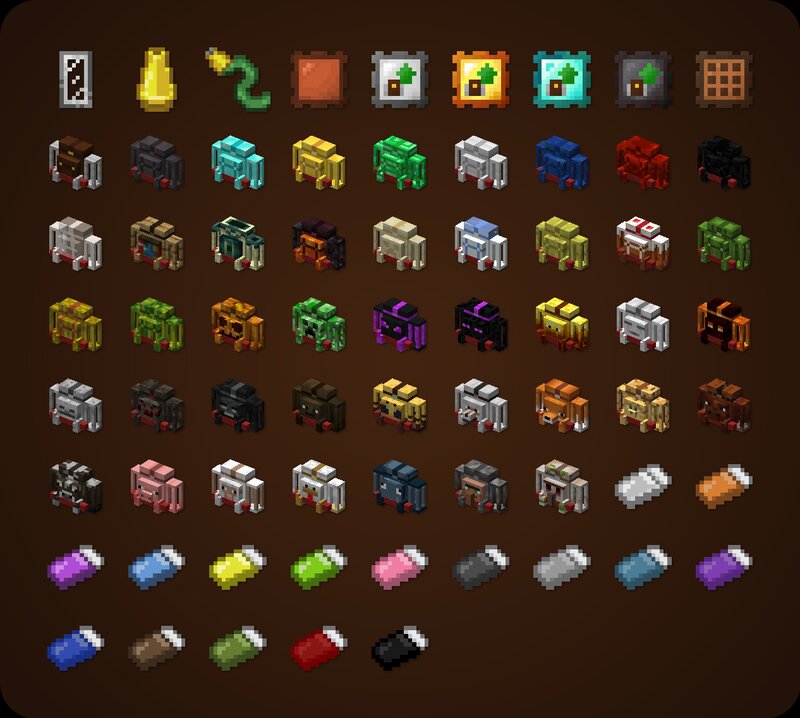
Travelers Backpacks is a mod that adds a ton backpack variants to the game! Perfect to store all your items! How to use Backpack Can be accessed by holding it in the Main hand and right-clicking Equippable on the back by clicking the "Equip" button in the backpack GUI, located on the right side just above the player's inventory slots Can be accessed when equipped by pressing a key (by default B) Curios/Trinkets/Accessories compatibility makes the backpack equippable only by placing it in the "Back" slot Can be placed in the world as a block, making its storage accessible via hoppers/pipes Renders on the player's back when equipped Tier Upgrades Offers 5 tiers: Leather, Iron, Gold, Diamond, Netherite Each of tiers adds more storage, upgrade slots, and tool slots (Configurable for each tier) Upgrading is done at a Smithing Table: Leather + Backpack + Tier Upgrade Item Functionality Upgrades Equippable with 11 different upgrades: Tanks, Crafting, Feeding, Magnet, Pickup, Void, Furnace and more! Use the sleeping bag without resetting the spawn point Take advantage of handy tool slots Hose Item - a useful gadget for managing fluids in your backpack Organizing Storage Offers special func
Added value
What’s included on this page
Preview, categories, compatibility, and tools on this page — not a bare file mirror.
- Creator
- xVenyartx
- Source
- Minecraft downloads library on Eaglercraft Studio
- Type
- Minecraft mod
- Price
- Free download on Eaglercraft Studio
- Curation
- Listed with credit to xVenyartx · studio preview & install guide
- Game Version
- Minecraft 1.21.11
- Compatible with
- Minecraft Java (match version / loader in facts)
- Tags
- Other
Install guide
How to install this free Minecraft mod
Eaglercraft Studio listing with metadata, creator credit, and loader-aware install guidance.
- 1Download the jar/zip when available.
- 2Install the matching loader (Forge, Fabric, or NeoForge) for your Minecraft version.
- 3Drop the mod into your mods folder, then launch with that profile.
Wrong loader or game version usually crashes on startup — read the facts on this page first.
Related free mods
More curated mods from the same library section.

Pastelmooncrafting15 · 67 diamonds · 20 views

PotatoWolfie · 60 diamonds · 2 views

PotatoWolfie · 53 diamonds · 622 views

Janss_33PL · 47 diamonds · 940 views