
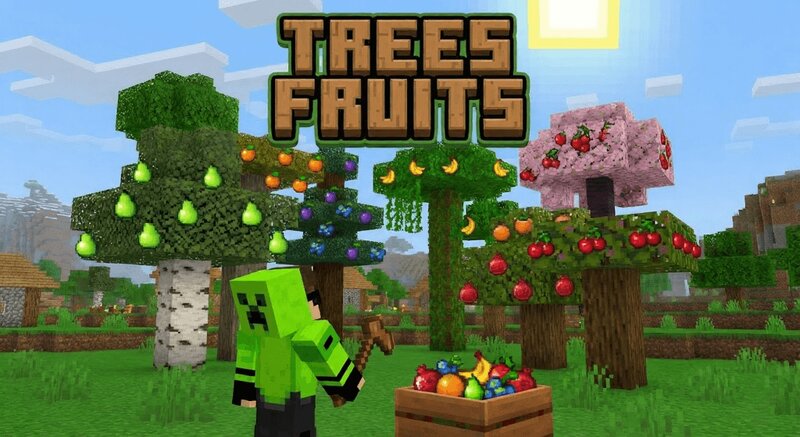
Tree's Fruit addon "more Tree's food like pear orange..."
Creator: shadowGem100k · 2026-02-06 · Mods · Free on Eaglercraft Studio
Download Tree's Fruit addon "more Tree's food like pear orange..." — free Minecraft mod. Created by shadowGem100k. Tagged other. Check the file details for Forge, Fabric, or NeoForge before installing.
Creator notes
🍎 Fruit From Leaves Addon Natural Fruit Drop System for Minecraft Bedrock 1.21+ Fruit From Leaves Addon is a survival friendly Minecraft Bedrock utility addon that makes tree leaves drop real fruits when broken, creating a more immersive and rewarding farming and exploration experience. Instead of only dropping saplings and sticks, leaves now have a chance to drop different fruit types depending on the tree species, turning forests into natural food sources while keeping vanilla balance intact. If you are looking for a Minecraft Bedrock fruit addon, tree fruit mod, leaf drop system, or survival farming addon, this addon provides a realistic and performance safe solution for both singleplayer and multiplayer worlds. 🧠 What This Fruit From Leaves Addon Does When a player breaks leaf blocks, the addon checks the leaf type and assigns a matching fruit. Each tree type drops a unique fruit such as cherries, pears, bananas, plums, oranges, blueberries, pomegranates, persimmons, and more. Fruit drops use a chance based system so they feel rare and balanced. Works with both modern leaf blocks and legacy leaf variants for full compatibility. 🌳 Tree to Fruit Mapping System Cherry leaves drop
Added value
What’s included on this page
Preview, categories, compatibility, and tools on this page — not a bare file mirror.
- Creator
- shadowGem100k
- Source
- Minecraft downloads library on Eaglercraft Studio
- Type
- Minecraft mod
- Price
- Free download on Eaglercraft Studio
- Curation
- Listed with credit to shadowGem100k · studio preview & install guide
- Game Version
- Minecraft 1.21.11
- Compatible with
- Minecraft Java (match version / loader in facts)
- Tags
- Other
Install guide
How to install this free Minecraft mod
Eaglercraft Studio listing with metadata, creator credit, and loader-aware install guidance.
- 1Download the jar/zip when available.
- 2Install the matching loader (Forge, Fabric, or NeoForge) for your Minecraft version.
- 3Drop the mod into your mods folder, then launch with that profile.
Wrong loader or game version usually crashes on startup — read the facts on this page first.
Related free mods
More curated mods from the same library section.

Pastelmooncrafting15 · 67 diamonds · 20 views

PotatoWolfie · 60 diamonds · 2 views

PotatoWolfie · 53 diamonds · 622 views

Janss_33PL · 47 diamonds · 940 views