
Trees are OP Chests
Creator: Mokey Crue · 2026-08-09 · Mods · Free on Eaglercraft Studio
Download Trees are OP Chests — free Minecraft mod. Created by Mokey Crue. Tagged minecraft, minecraftmod, minecraftop, other. Check the file details for Forge, Fabric, or NeoForge before installing.
Creator notes
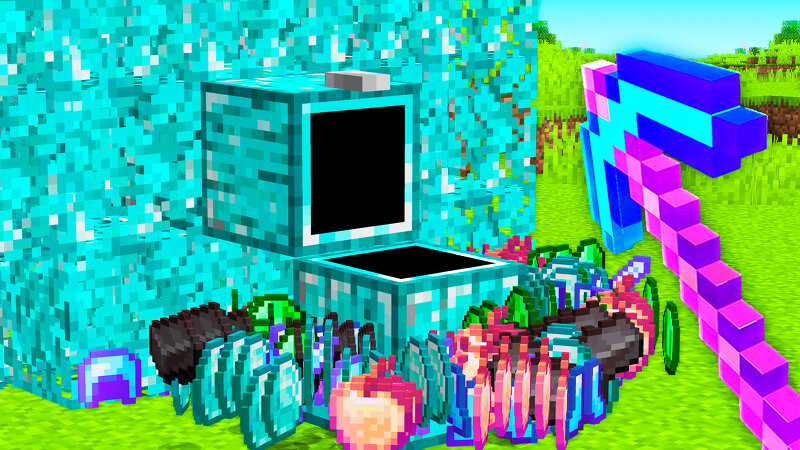
🌳 Mokey Mod: Trees Are CHESTS — Trees Aren't Just Wood Anymore Picture this: you use a special bone meal on the ground, and seconds later a diamond tree sprouts up... except its trunk is actually a chest packed with loot . Trees Are CHESTS is a mod for Minecraft 1.21.8 (Fabric) that turns bone meal into a progression tool: you grow ore- and gem-themed trees, and each one hides a reward chest in its trunk, filled with items, enchanted gear, and rare materials. ⚙️ How It Works 1. Craft bone meal for your favorite ore Each tier has its own recipe: 8 units of the ore/gem surrounding 1 regular bone meal in the crafting grid, yielding 3 special bone meals. 2. Use the bone meal on the ground Right-click the special bone meal on a dirt/grass block. The tree won't always sprout on the first try — each tier requires a random number of applications before it grows (rarer tiers usually need fewer applications, but the item itself is far more expensive to craft). 3. The tree grows A 5-block trunk rises, topped with a leafy canopy matching the chosen ore. Inside the trunk's base block sits a chest with up to 27 loot slots — guaranteed drops plus a randomized mix of enchanted tools, armor, weapon
Added value
What’s included on this page
Preview, categories, compatibility, and tools on this page — not a bare file mirror.
- Creator
- Mokey Crue
- Source
- Minecraft downloads library on Eaglercraft Studio
- Type
- Minecraft mod
- Price
- Free download on Eaglercraft Studio
- Curation
- Listed with credit to Mokey Crue · studio preview & install guide
- Game Version
- Minecraft 1.21.8
- Compatible with
- Minecraft Java (match version / loader in facts)
- Tags
- Minecraft, Minecraftmod, Minecraftop, Other, Tree, Treeop
Install guide
How to install this free Minecraft mod
Eaglercraft Studio listing with metadata, creator credit, and loader-aware install guidance.
- 1Download the jar/zip when available.
- 2Install the matching loader (Forge, Fabric, or NeoForge) for your Minecraft version.
- 3Drop the mod into your mods folder, then launch with that profile.
Wrong loader or game version usually crashes on startup — read the facts on this page first.
Related free mods
More curated mods from the same library section.

Pastelmooncrafting15 · 67 diamonds · 20 views

PotatoWolfie · 60 diamonds · 2 views

PotatoWolfie · 53 diamonds · 622 views

Janss_33PL · 47 diamonds · 940 views