
UrdaVarg Simplified Building
Creator: Svabergindianer · 2026-08-05 · Mods · Free on Eaglercraft Studio
Download UrdaVarg Simplified Building — free Minecraft mod. Created by Svabergindianer. Tagged functional, other. Check the file details for Forge, Fabric, or NeoForge before installing.
Creator notes
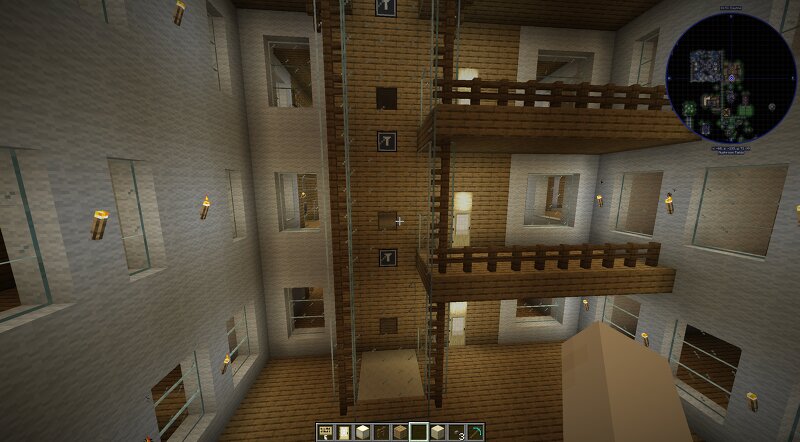
UrdaVarg Simplified Building is a lightweight building mod made for players who want powerful building tools without complicated commands or external programs. The goal is simple: select what you want to work with, see clearly what will happen, and place it where you want it. The Building Tool lets you select an area directly in the world and then copy or move it. The selected structure is shown as a hologram so you can position it before confirming. You can move it along the X, Y and Z axes, rotate it, flip it, and clear selections without using commands. The mod also includes a set of practical survival tools. Paxels combine the functions of a pickaxe, axe and shovel. They are available in Wood, Stone, Copper, Iron, Diamond and Netherite tiers. Sneaking while mining allows connected blocks to be removed together, while normal use still breaks a single block. Paxels can be repaired and upgraded through the anvil. The Mining Box provides 81 inventory slots and includes a magnet function for collecting nearby drops. Its contents are preserved when the box is broken and moved. The Box activates with G Key UrdaVarg Simplified Building also has its own Creative tab, keeping all of its
Added value
What’s included on this page
Preview, categories, compatibility, and tools on this page — not a bare file mirror.
- Creator
- Svabergindianer
- Source
- Minecraft downloads library on Eaglercraft Studio
- Type
- Minecraft mod
- Price
- Free download on Eaglercraft Studio
- Curation
- Listed with credit to Svabergindianer · studio preview & install guide
- Game Version
- Minecraft 26.2
- Compatible with
- Minecraft Java (match version / loader in facts)
- Tags
- Functional, Other
Install guide
How to install this free Minecraft mod
Eaglercraft Studio listing with metadata, creator credit, and loader-aware install guidance.
- 1Download the jar/zip when available.
- 2Install the matching loader (Forge, Fabric, or NeoForge) for your Minecraft version.
- 3Drop the mod into your mods folder, then launch with that profile.
Wrong loader or game version usually crashes on startup — read the facts on this page first.
Related free mods
More curated mods from the same library section.

Pastelmooncrafting15 · 67 diamonds · 20 views

PotatoWolfie · 60 diamonds · 2 views

PotatoWolfie · 53 diamonds · 622 views

Janss_33PL · 47 diamonds · 940 views