
UrdaVargs Roadworks for fabric 17 and java version 1.20.4
Creator: Svabergindianer · 2026-07-26 · Mods · Free on Eaglercraft Studio
Download UrdaVargs Roadworks for fabric 17 and java version 1.20.4 — free Minecraft mod. Created by Svabergindianer. Tagged functional. Check the file details for Forge, Fabric, or NeoForge before installing.
Creator notes
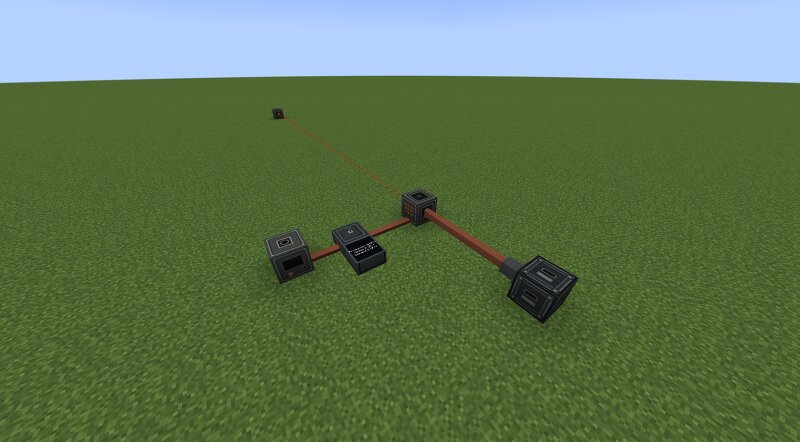
Possibly the first of its kind, UrdaVarg Roadworks brings node-based curved road construction into genuine Survival gameplay, where roads are physically built over time using power, materials, and logistics. UrdaVarg Roadworks is a powered construction module for UrdaVarg Energy. The mod adds machines for building roads and excavating tunnels, cuts, shafts, and other large passages between two selected points. Construction happens gradually and requires power, materials, and a working logistics connection. ROAD CONSTRUCTION Place two Road Nodes and connect them with the Construction Planner. The Road Node builds a road from point A to point B using materials supplied through the item-pipe system. Road width can be selected freely from 1 to 9 blocks. Roads can be straight, diagonal, or curved. The established Roadworks geometry has been preserved, including adjustable curve direction and alignment. Construction is started with the Road Tool. BORE CONSTRUCTION The Bore Node is a movable excavation machine based on the same A-to-B planning system. Bore width and height can be selected freely from 1 to 9 blocks. This allows the machine to create narrow technical passages, normal tunnel
Added value
What’s included on this page
Preview, categories, compatibility, and tools on this page — not a bare file mirror.
- Creator
- Svabergindianer
- Source
- Minecraft downloads library on Eaglercraft Studio
- Type
- Minecraft mod
- Price
- Free download on Eaglercraft Studio
- Curation
- Listed with credit to Svabergindianer · studio preview & install guide
- Game Version
- Minecraft 1.20.4
- Compatible with
- Minecraft Java (match version / loader in facts)
- Tags
- Functional
Install guide
How to install this free Minecraft mod
Eaglercraft Studio listing with metadata, creator credit, and loader-aware install guidance.
- 1Download the jar/zip when available.
- 2Install the matching loader (Forge, Fabric, or NeoForge) for your Minecraft version.
- 3Drop the mod into your mods folder, then launch with that profile.
Wrong loader or game version usually crashes on startup — read the facts on this page first.
Related free mods
More curated mods from the same library section.

Pastelmooncrafting15 · 67 diamonds · 20 views

PotatoWolfie · 60 diamonds · 2 views

PotatoWolfie · 53 diamonds · 622 views

Janss_33PL · 47 diamonds · 940 views