
Verity Minecraft bedrock edition
Creator: Sergey7363635 · 2026-08-19 · Mods · Free on Eaglercraft Studio
Download Verity Minecraft bedrock edition — free Minecraft mod. Created by Sergey7363635. Tagged creepy, horror, new content, verity. Check the file details for Forge, Fabric, or NeoForge before installing.
Creator notes
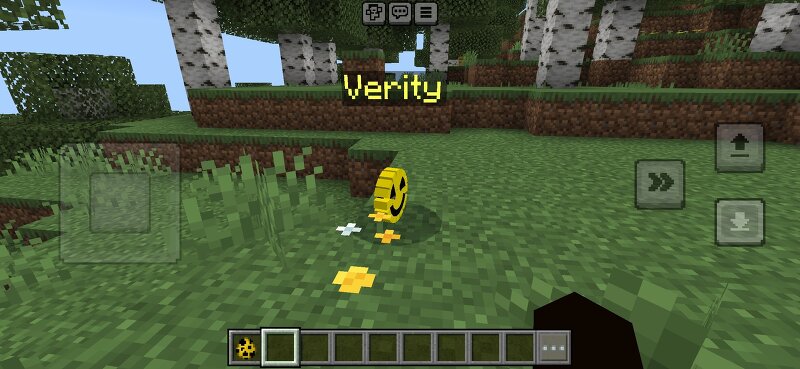
Verity No AI — Bedrock Companion Addon Verity No AI is a Minecraft Bedrock addon with a yellow smiley companion inspired by Verity — without real AI. All replies are scripted from keywords. Features:- Verity companion — talk via menu or chat- Language switch — Russian / English in the menu- Spawn box — appears near you on world join; open it to summon Verity- Follow mode — Verity can follow the player- Chat replies — greetings, help, insults, and more- Math in chat — type 2+2 or 847*23 and Verity solves it- Story — Verity warns you not to go to eastern villages- Corrupted Verity — ignore the warning and a hostile monster appears- Empty eastern villages (no villagers) Commands:!verity — open menu!box — spawn the box!follow — toggle follow Requirements:- Minecraft Bedrock 1.21+- Beta APIs experiment enabled- Behavior Pack + Resource Pack Install:1. Download the .mcaddon2. Open it with Minecraft3. New world → enable Beta APIs → turn on the pack Note: This is not real artificial intelligence. Answers are keyword-based only. Tags: addon bedrock companion npc verity story horror russian english no ai script entity
Added value
What’s included on this page
Preview, categories, compatibility, and tools on this page — not a bare file mirror.
- Creator
- Sergey7363635
- Source
- Minecraft downloads library on Eaglercraft Studio
- Type
- Minecraft mod
- Price
- Free download on Eaglercraft Studio
- Curation
- Listed with credit to Sergey7363635 · studio preview & install guide
- Game Version
- Minecraft 26.3 snapshot
- Compatible with
- Minecraft Java (match version / loader in facts)
- Tags
- Creepy, Horror, New Content, Verity
Install guide
How to install this free Minecraft mod
Eaglercraft Studio listing with metadata, creator credit, and loader-aware install guidance.
- 1Download the jar/zip when available.
- 2Install the matching loader (Forge, Fabric, or NeoForge) for your Minecraft version.
- 3Drop the mod into your mods folder, then launch with that profile.
Wrong loader or game version usually crashes on startup — read the facts on this page first.
Related free mods
More curated mods from the same library section.

Pastelmooncrafting15 · 67 diamonds · 20 views

PotatoWolfie · 60 diamonds · 2 views

PotatoWolfie · 53 diamonds · 622 views

Janss_33PL · 47 diamonds · 940 views