
VoidCaptcha
Creator: RealNamanYT · 2026-05-31 · Mods · Free on Eaglercraft Studio
Download VoidCaptcha — free Minecraft mod. Created by RealNamanYT. Tagged auth, authenication, captcha, loginsecurity. Check the file details for Forge, Fabric, or NeoForge before installing.
Creator notes
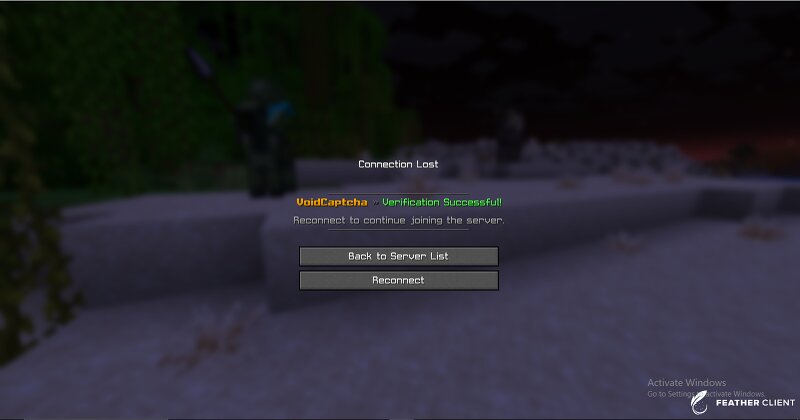
## VoidCaptcha VoidCaptcha is a premium-style anti-bot and authentication plugin designed for Paper-based Minecraft servers. It combines captcha verification, secure account authentication, IP session management, and optional VPN detection into one lightweight and configurable solution. The plugin is designed to protect servers from automated bot joins, unauthorized access, and account misuse while keeping the player experience smooth and secure. --- # ✨ Features ## 🔐 Smart Authentication System VoidCaptcha includes a built-in authentication system for player registration and login. * Secure register/login flow * Passwords stored in hashed format * Configurable password rules * Optional repeat-password confirmation * Login attempt limits * Login timeout support The authentication system can be enabled or disabled from the configuration file, but keeping it enabled is recommended for the best stability and protection. > Using additional authentication plugins alongside VoidCaptcha is not recommended, as VoidCaptcha already includes its own integrated authentication system. --- ## 🧩 Captcha Protection Players must complete a captcha before accessing the main server world. This helps:
Added value
What’s included on this page
Preview, categories, compatibility, and tools on this page — not a bare file mirror.
- Creator
- RealNamanYT
- Source
- Minecraft downloads library on Eaglercraft Studio
- Type
- Minecraft mod
- Price
- Free download on Eaglercraft Studio
- Curation
- Listed with credit to RealNamanYT · studio preview & install guide
- Game Version
- Minecraft 1.21.11
- Compatible with
- Minecraft Java (match version / loader in facts)
- Tags
- Auth, Authenication, Captcha, Loginsecurity, Plugin, Server
Install guide
How to install this free Minecraft mod
Eaglercraft Studio listing with metadata, creator credit, and loader-aware install guidance.
- 1Download the jar/zip when available.
- 2Install the matching loader (Forge, Fabric, or NeoForge) for your Minecraft version.
- 3Drop the mod into your mods folder, then launch with that profile.
Wrong loader or game version usually crashes on startup — read the facts on this page first.
Related free mods
More curated mods from the same library section.

Pastelmooncrafting15 · 67 diamonds · 20 views

PotatoWolfie · 60 diamonds · 2 views

PotatoWolfie · 53 diamonds · 622 views

Janss_33PL · 47 diamonds · 940 views