
Voltify
Creator: JoaoCruz · 2026-09-19 · Mods · Free on Eaglercraft Studio
Download Voltify — free Minecraft mod. Created by JoaoCruz. Tagged create, eletric, energy, explosion. Check the file details for Forge, Fabric, or NeoForge before installing.
Creator notes
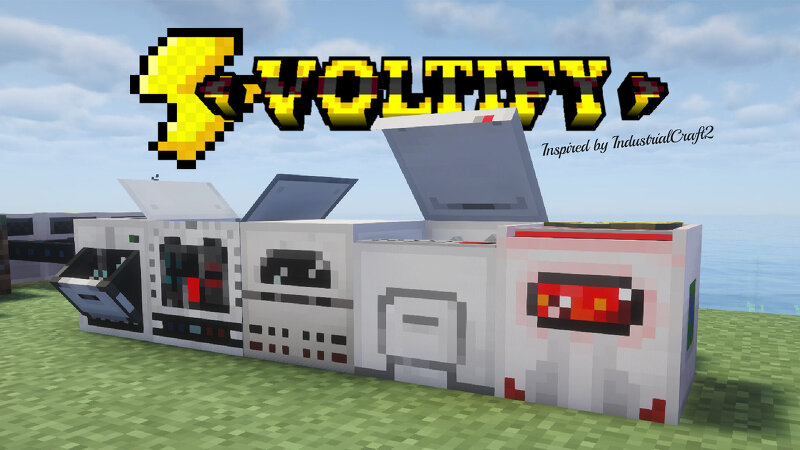
Voltify brings simple electric machinery, power grids, and automation inspired by classic tech mods. The mod is still in early development, so expect frequent updates, new content, and balance adjustments as new features arrive. Voltify Voltify is a lightweight industrial technology mod for Minecraft 1.20.1, inspired by the spirit of classic mods such as IndustrialCraft² and modern projects like Tech Reborn, while following its own direction. The focus is simple: industrial machinery, understandable power systems, and a more visual and immersive experience . Machines are designed to feel alive, with animations, sounds, moving parts, and clear feedback, without turning basic automation into an engineering degree. Build combustion generators, electric furnaces, macerators, metal processing machines and battery boxes. Connect them through power grids ranging from 32V to 1000V, manage different voltage levels, and keep an eye on your network before an overloaded connection becomes a problem. Voltify is still in beta and actively evolving, with new machines, mechanics, balance changes and improvements planned for future updates. Inspired by the classics, redesigned with a different appr
Added value
What’s included on this page
Preview, categories, compatibility, and tools on this page — not a bare file mirror.
- Creator
- JoaoCruz
- Source
- Minecraft downloads library on Eaglercraft Studio
- Type
- Minecraft mod
- Price
- Free download on Eaglercraft Studio
- Curation
- Listed with credit to JoaoCruz · studio preview & install guide
- Game Version
- Minecraft 1.20.1
- Compatible with
- Minecraft Java (match version / loader in facts)
- Tags
- Create, Eletric, Energy, Explosion, Furnace, Ic2
Install guide
How to install this free Minecraft mod
Eaglercraft Studio listing with metadata, creator credit, and loader-aware install guidance.
- 1Download the jar/zip when available.
- 2Install the matching loader (Forge, Fabric, or NeoForge) for your Minecraft version.
- 3Drop the mod into your mods folder, then launch with that profile.
Wrong loader or game version usually crashes on startup — read the facts on this page first.
Related free mods
More curated mods from the same library section.

Pastelmooncrafting15 · 67 diamonds · 20 views

PotatoWolfie · 60 diamonds · 2 views

PotatoWolfie · 53 diamonds · 622 views

Janss_33PL · 47 diamonds · 940 views