
WindLink - Real wind in Minecraft
Creator: PlunderPixels · 2026-08-30 · Mods · Free on Eaglercraft Studio
Download WindLink - Real wind in Minecraft — free Minecraft mod. Created by PlunderPixels. Tagged aesthetic, atmosphere, shaders, wind. Check the file details for Forge, Fabric, or NeoForge before installing.
Creator notes
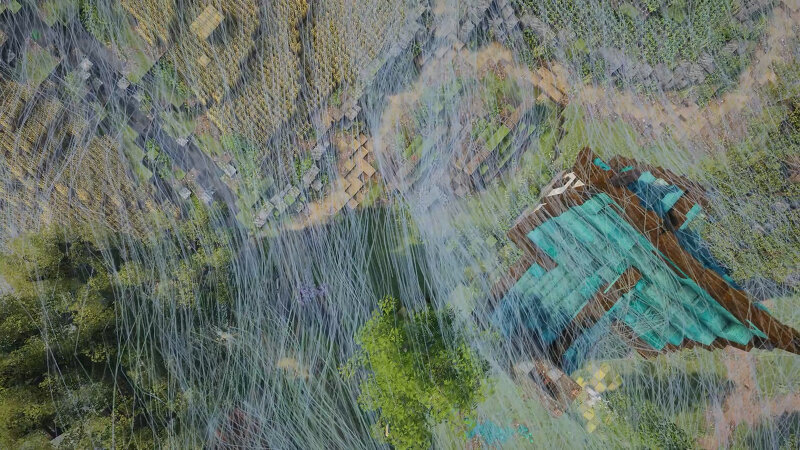
WindLink A real, shared wind that everything breathes. Client-side only. Safe on vanilla servers. Works with no shader pack installed, but doesn't live up to anything without one. Depends on PlunderEngine. Compatible Shaders: Euphoria Patches 1.10.0+ Wind WindLink creates a real and terrain aware wind field that everything responds to. No more side to side canned wind animations with your favorite shaders. Everything flows together. Building gusts that come and go naturally instead of a constant breeze Terrain flow : slowed behind a hill, quicker over a crest, funnelled down through valleys Presets from calm to storm, or auto (natural wind) Wind character , natural or cinematic Turbulence, swirl and wave size as separate dials Wind sheltering , your builds interact with the wind in real time Blown debris from leaves and grass flecks that ride the wind and deflect off walls Trees move as one , so a canopy sways together Falling leaves, smoke, flames, embers and campfire smoke all take the same wind Seasons Foliage color follows the year (default: off) Days per season, or race through a whole year in seconds to see it move Forceable season overrides Dust Sand grains lifted off loose
Added value
What’s included on this page
Preview, categories, compatibility, and tools on this page — not a bare file mirror.
- Creator
- PlunderPixels
- Source
- Minecraft downloads library on Eaglercraft Studio
- Type
- Minecraft mod
- Price
- Free download on Eaglercraft Studio
- Curation
- Listed with credit to PlunderPixels · studio preview & install guide
- Game Version
- Minecraft 26.1.2
- Compatible with
- Minecraft Java (match version / loader in facts)
- Tags
- Aesthetic, Atmosphere, Shaders, Wind
Install guide
How to install this free Minecraft mod
Eaglercraft Studio listing with metadata, creator credit, and loader-aware install guidance.
- 1Download the jar/zip when available.
- 2Install the matching loader (Forge, Fabric, or NeoForge) for your Minecraft version.
- 3Drop the mod into your mods folder, then launch with that profile.
Wrong loader or game version usually crashes on startup — read the facts on this page first.
Related free mods
More curated mods from the same library section.

Pastelmooncrafting15 · 67 diamonds · 20 views

PotatoWolfie · 60 diamonds · 2 views

PotatoWolfie · 53 diamonds · 622 views

Janss_33PL · 47 diamonds · 940 views