
World Of Warcraft Mod
Creator: Furhid · 2026-03-09 · Mods · Free on Eaglercraft Studio
Download World Of Warcraft Mod — free Minecraft mod. Created by Furhid. Tagged new content, rpg, warcraft. Check the file details for Forge, Fabric, or NeoForge before installing.
Creator notes
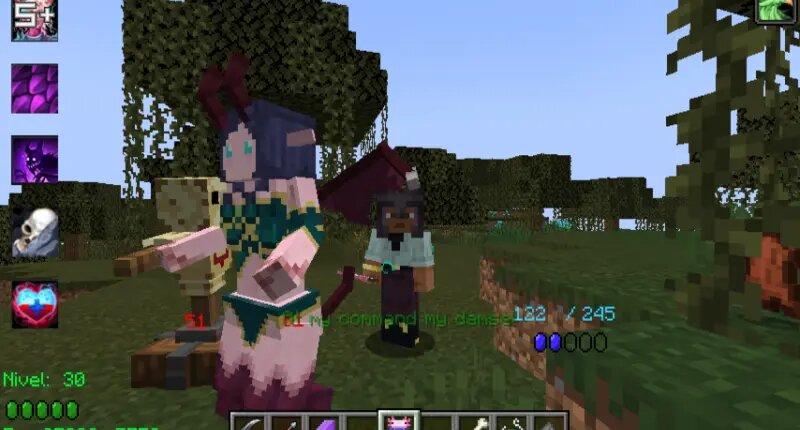
THIS MOD NEEDS GECKOLIB This mod is about bringing World of Warcraft to Minecraft, I have to thanks Nikkita85 and their special dev group for WoWMod, that sadly its development stopped in 2018, as a fan of the World of Warcraft series, Minecraft and WoWMod, I made this mod and hope you like it. Choose from a wide selection of 9 classes in total, define your own playstyle, may you prefer to be an agile rogue with deadly poisons and stealthy attacks, or you want to become a powerful mage casting fireballs and freezing your enemies, or maybe you like to heal and support your allies summoning totems as a shaman. Perhaps you are more interested in the ways that nature could bring and become a shapeshifter, or you like to play as a holy warrior, or warlock, there are tons of new abilities and spells for you to discover. Things that are done: 9 original classes from WoW Classic. (Rogue, Mage, Warrior, Priest, Druid, Paladin, Warlock, Hunter and Shaman - Death Knights will be added in future) Spells for all of them Leveling and stat system Things I'm planning to add in future: Items such as armor and weapons, ranging from normal, uncommon, rare and epic, also tier sets with new bonuses Tal
Added value
What’s included on this page
Preview, categories, compatibility, and tools on this page — not a bare file mirror.
- Creator
- Furhid
- Source
- Minecraft downloads library on Eaglercraft Studio
- Type
- Minecraft mod
- Price
- Free download on Eaglercraft Studio
- Curation
- Listed with credit to Furhid · studio preview & install guide
- Game Version
- Minecraft 1.21.1
- Compatible with
- Minecraft Java (match version / loader in facts)
- Tags
- New Content, Rpg, Warcraft
Install guide
How to install this free Minecraft mod
Eaglercraft Studio listing with metadata, creator credit, and loader-aware install guidance.
- 1Download the jar/zip when available.
- 2Install the matching loader (Forge, Fabric, or NeoForge) for your Minecraft version.
- 3Drop the mod into your mods folder, then launch with that profile.
Wrong loader or game version usually crashes on startup — read the facts on this page first.
Related free mods
More curated mods from the same library section.

Pastelmooncrafting15 · 67 diamonds · 20 views

PotatoWolfie · 60 diamonds · 2 views

PotatoWolfie · 53 diamonds · 622 views

Janss_33PL · 47 diamonds · 940 views