
WorldEditDisplay(Paper Plugin)
Creator: TWME · 2025-11-02 · Mods · Free on Eaglercraft Studio
Download WorldEditDisplay(Paper Plugin) — free Minecraft mod. Created by TWME. Tagged other. Check the file details for Forge, Fabric, or NeoForge before installing.
Creator notes
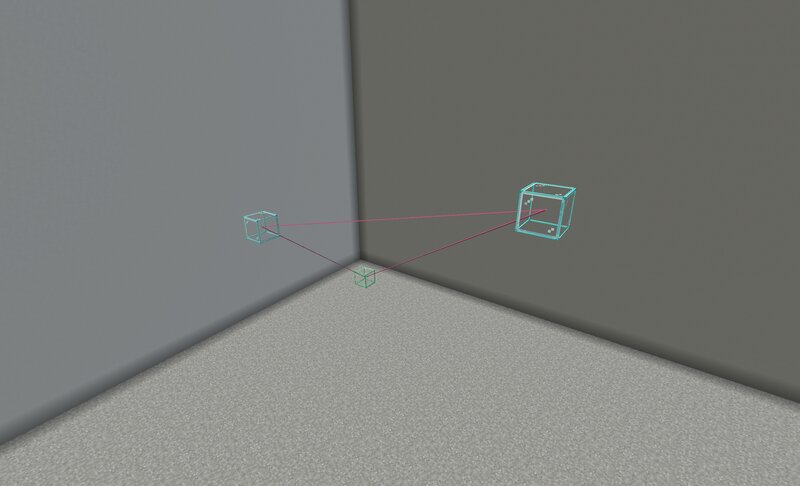
WorldEditDisplay About WorldEditDisplay is a server-side plugin for Minecraft that adds visual selection rendering for WorldEdit. It intercepts WorldEdit's CUI (Client User Interface) protocol packets and renders selections using Display Entities on the server side. This means players can see their WorldEdit selections without installing any client-side mods. Features Selection Types Cuboid - Box selections with edge lines and grid display Polygon - 2D polygon boundaries with vertical columns Ellipsoid - Smooth elliptical selections Cylinder - Circular selections with adjustable height Polyhedron - Complex 3D polyhedral structures Visual Rendering Uses Minecraft's Display Entity system Customizable block materials for all visual elements Adjustable line thickness and grid density Grid overlay for easier size calculation Multi-language Support The interface is available in multiple languages with automatic client language detection: Traditional Chinese (zh_tw) English (en_us) Player Settings Players can customize their own rendering preferences: Choose preferred block materials Adjust line thickness within server limits Control grid spacing and density Changes apply immediately Conf
Added value
What’s included on this page
Preview, categories, compatibility, and tools on this page — not a bare file mirror.
- Creator
- TWME
- Source
- Minecraft downloads library on Eaglercraft Studio
- Type
- Minecraft mod
- Price
- Free download on Eaglercraft Studio
- Curation
- Listed with credit to TWME · studio preview & install guide
- Game Version
- Minecraft 1.21.8
- Compatible with
- Minecraft Java (match version / loader in facts)
- Tags
- Other
Install guide
How to install this free Minecraft mod
Eaglercraft Studio listing with metadata, creator credit, and loader-aware install guidance.
- 1Download the jar/zip when available.
- 2Install the matching loader (Forge, Fabric, or NeoForge) for your Minecraft version.
- 3Drop the mod into your mods folder, then launch with that profile.
Wrong loader or game version usually crashes on startup — read the facts on this page first.
Related free mods
More curated mods from the same library section.

Pastelmooncrafting15 · 67 diamonds · 20 views

PotatoWolfie · 60 diamonds · 2 views

PotatoWolfie · 53 diamonds · 622 views

Janss_33PL · 47 diamonds · 940 views