
Xiufuiblock Add-On Version 1.1.1_20260215-2344
Creator: MCa818b · 2026-02-16 · Mods · Free on Eaglercraft Studio
Download Xiufuiblock Add-On Version 1.1.1_20260215-2344 — free Minecraft mod. Created by MCa818b. Tagged bedrockeditionaddon, bedrockeditionmod, other. Check the file details for Forge, Fabric, or NeoForge before installing.
Creator notes
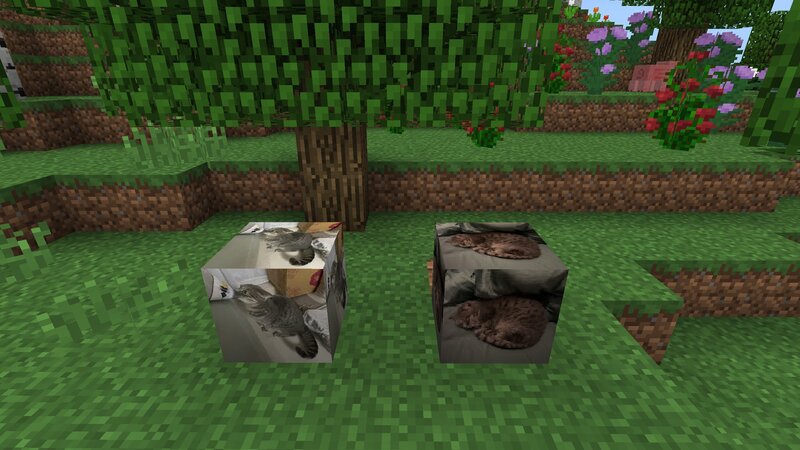
Name: Xiufuiblock Version: 1.1.1 (Build 2026/02/15 23:44) File Type: Minecraft Bedrock Edition Add-On (.mcaddon) Build Date/Time: 2026/02/15 PM11:44 File Size: 165KB (169022 Bytes) This Add-On added "Xiufuiblock"(xiufui:channel4_profile) and "New Xiufuiblock"(Updated, xiufui:channel5_profile). If you walk on these blocks, you will speed up! This is the demoing by MCa818b: https://www.youtube.com/watch?v=C7bu5f6a0yw (The demoing place in screenshots is not included)
Added value
What’s included on this page
Preview, categories, compatibility, and tools on this page — not a bare file mirror.
- Creator
- MCa818b
- Source
- Minecraft downloads library on Eaglercraft Studio
- Type
- Minecraft mod
- Price
- Free download on Eaglercraft Studio
- Curation
- Listed with credit to MCa818b · studio preview & install guide
- Game Version
- Minecraft 1.21.11
- Compatible with
- Minecraft Java (match version / loader in facts)
- Tags
- Bedrockeditionaddon, Bedrockeditionmod, Other
Install guide
How to install this free Minecraft mod
Eaglercraft Studio listing with metadata, creator credit, and loader-aware install guidance.
- 1Download the jar/zip when available.
- 2Install the matching loader (Forge, Fabric, or NeoForge) for your Minecraft version.
- 3Drop the mod into your mods folder, then launch with that profile.
Wrong loader or game version usually crashes on startup — read the facts on this page first.
Related free mods
More curated mods from the same library section.

Pastelmooncrafting15 · 67 diamonds · 20 views

PotatoWolfie · 60 diamonds · 2 views

PotatoWolfie · 53 diamonds · 622 views

Janss_33PL · 47 diamonds · 940 views