
XuForge
Creator: XuJun · 2026-01-22 · Mods · Free on Eaglercraft Studio
Download XuForge — free Minecraft mod. Created by XuJun. Tagged armor, fabric, mod, mods. Check the file details for Forge, Fabric, or NeoForge before installing.
Creator notes
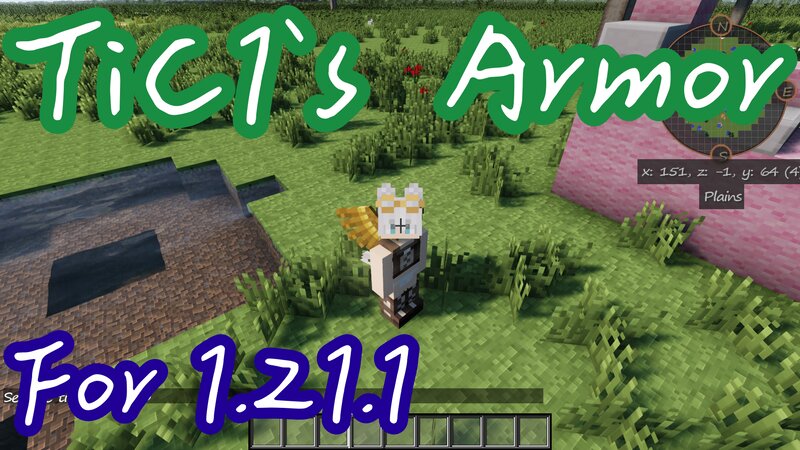
XuForge - Traveler's Armor Set A Minecraft Mod for 1.21.1 (Fabric) that revives the Traveler's Gear from Tinkers' Construct 1 (MC 1.7.10). Important: Please always back up your saves before use. Use this mod at your own risk. Features This mod adds the Traveler's Armor Set, designed for explorers who need utility over raw defense. Traveler's Goggles Traveler's Vest Traveler's Wings Traveler's Boots Supported Languages 🇺🇸 English 🇯🇵 日本語 🇨🇳 简体中文 Development Status Current Version: v2.0+mc1.21.1 🔼 Armor Items and Textures (In Progress) ✅ Item recipe and crafting ✅ Custom Armor Materials ✅ Multi-language Support 🔼 Special Abilities Implementation (In Progress) Credits - Based on the original concepts from Tinker`s Construct 1 - Developed by @XuJun Modpacks & Credits YOU CAN : Use this in your private worlds or on multiplayer servers. YOU CAN : Feature this in your YouTube videos or streams (Credit is appreciated!). YOU CANNOT : Re-upload or mirror this file to other sites. YOU CANNOT : Claim this project as your own. YOU CANNOT : Use this for commercial purposes without permission. Other Links SourceCode Issues Discord OfficialSite
Added value
What’s included on this page
Preview, categories, compatibility, and tools on this page — not a bare file mirror.
- Creator
- XuJun
- Source
- Minecraft downloads library on Eaglercraft Studio
- Type
- Minecraft mod
- Price
- Free download on Eaglercraft Studio
- Curation
- Listed with credit to XuJun · studio preview & install guide
- Game Version
- Minecraft 1.21.1
- Compatible with
- Minecraft Java (match version / loader in facts)
- Tags
- Armor, Fabric, Mod, Mods, Other, Tinkersconstruct
Install guide
How to install this free Minecraft mod
Eaglercraft Studio listing with metadata, creator credit, and loader-aware install guidance.
- 1Download the jar/zip when available.
- 2Install the matching loader (Forge, Fabric, or NeoForge) for your Minecraft version.
- 3Drop the mod into your mods folder, then launch with that profile.
Wrong loader or game version usually crashes on startup — read the facts on this page first.
Related free mods
More curated mods from the same library section.

Pastelmooncrafting15 · 67 diamonds · 20 views

PotatoWolfie · 60 diamonds · 2 views

PotatoWolfie · 53 diamonds · 622 views

Janss_33PL · 47 diamonds · 940 views