
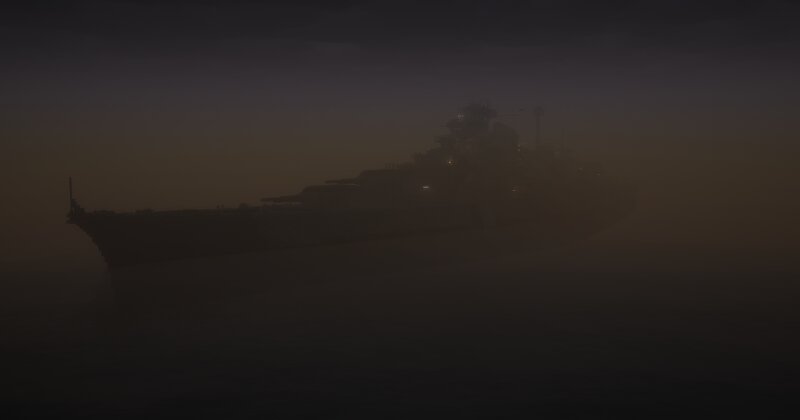
2:1 scale Bismarck with Atlantic camo
Creator: bigdog1668 · 2026-09-26 · Maps · Free on Eaglercraft Studio
Download 2:1 scale Bismarck with Atlantic camo — free Minecraft map. Created by bigdog1668. Tagged other. Get the world/schematic file when available and explore more free maps on Eaglercraft Studio.
Creator notes
Bismarck was the first of two Bismarck -class battleships built for Nazi Germany 's Kriegsmarine . Named after Chancellor Otto von Bismarck , the ship was laid down at the Blohm & Voss shipyard in Hamburg in July 1936 and launched in February 1939. Work was completed in August 1940, when she was commissioned into the German fleet. Bismarck and her sister ship Tirpitz were the largest battleships ever built by Germany, and two of the largest built by any European power. In the course of the warship's eight-month career, Bismarck conducted only one offensive operation that lasted eight days in May 1941, codenamed Rheinübung . The ship, along with the heavy cruiser Prinz Eugen , was to break into the Atlantic Ocean and raid Allied shipping from North America to Great Britain. The two ships were detected several times off Scandinavia, and British naval units were deployed to block their route. At the Battle of the Denmark Strait , the battlecruiser HMS Hood initially engaged Prinz Eugen , probably by mistake, while HMS Prince of Wales engaged Bismarck . In the ensuing battle Hood was destroyed by the combined fire of Bismarck and Prinz Eugen , which then damaged Prince of Wales and for
Added value
What’s included on this page
Preview, categories, compatibility, and tools on this page — not a bare file mirror.
- Creator
- bigdog1668
- Source
- Minecraft downloads library on Eaglercraft Studio
- Type
- Minecraft map / world
- Price
- Free download on Eaglercraft Studio
- Curation
- Listed with credit to bigdog1668 · studio preview & install guide
- Compatible with
- Minecraft Java (match version / loader in facts)
- Tags
- Other
Install guide
How to install this free Minecraft map
Eaglercraft Studio map listing with preview, creator credit, and install steps for Java worlds.
- 1Download the world archive (.zip / .mcworld / schematic) when available.
- 2For Java: extract into your .minecraft/saves folder (or import via your launcher).
- 3Launch Minecraft, select the world, and play. Keep a backup before overwriting saves.
Check any version notes in the facts panel — maps often target a specific Minecraft release.
Related free maps
More curated maps from the same library section.

CraftyFoxe · 761 diamonds · 418 views

CraftyFoxe · 761 diamonds · 339 views

CraftyFoxe · 761 diamonds · 319 views

CraftyFoxe · 761 diamonds · 306 views