
26.2 Tutorial World
Creator: Deplexer · 2026-09-26 · Maps · Free on Eaglercraft Studio
Download 26.2 Tutorial World — free Minecraft map. Created by Deplexer. Tagged console, custom, legacy, nostalgia. Get the world/schematic file when available and explore more free maps on Eaglercraft Studio.
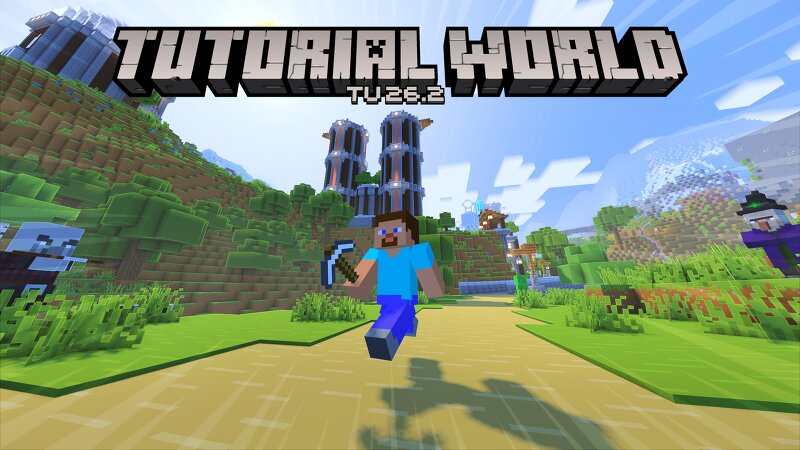
Creator notes
Do you remember the old tutorial worlds? Back when the legacy console editions of Minecraft were supported, there used to be a tutorial world that would change with each major release of the game, teaching players about the game and also showing some really cool builds. There was also a music disc hunt, where you would collect all 12 (at the time) music discs hidden around the world! I took it upon myself to create a brand new, updated tutorial world built for modern versions! All in the style of 4J Studios! Main hub with various sub-tutorials, teaching you about Minecraft's many features Many custom builds scattered across the world for you to explore! Statues of Minecraft's many iconic mobs Full tutorial hub in the Nether Many, many SECRETS! And of course... the music disc hunt! Can you find all 22 music discs? This world took roughly 1.5 years to put together, you can find more info on my youtube channel! If you want the menu panorama featuring this world, you can find the link to that here: https://www.planetminecraft.com/texture-pack/26-2-tutorial-world-panorama/
Added value
What’s included on this page
Preview, categories, compatibility, and tools on this page — not a bare file mirror.
- Creator
- Deplexer
- Source
- Minecraft downloads library on Eaglercraft Studio
- Type
- Minecraft map / world
- Price
- Free download on Eaglercraft Studio
- Curation
- Listed with credit to Deplexer · studio preview & install guide
- Compatible with
- Minecraft Java (match version / loader in facts)
- Tags
- Console, Custom, Legacy, Nostalgia, Other, Tutorial
Install guide
How to install this free Minecraft map
Eaglercraft Studio map listing with preview, creator credit, and install steps for Java worlds.
- 1Download the world archive (.zip / .mcworld / schematic) when available.
- 2For Java: extract into your .minecraft/saves folder (or import via your launcher).
- 3Launch Minecraft, select the world, and play. Keep a backup before overwriting saves.
Check any version notes in the facts panel — maps often target a specific Minecraft release.
Related free maps
More curated maps from the same library section.

CraftyFoxe · 761 diamonds · 418 views

CraftyFoxe · 761 diamonds · 339 views

CraftyFoxe · 761 diamonds · 319 views

CraftyFoxe · 761 diamonds · 306 views