
Advanced Parkour FULL VERSION | PURCHASE | $0.25
Creator: NiproXDLOL · 2026-09-21 · Maps · Free on Eaglercraft Studio
Download Advanced Parkour FULL VERSION | PURCHASE | $0.25 — free Minecraft map. Created by NiproXDLOL. Tagged demon, easy, hard, insane. Get the world/schematic file when available and explore more free maps on Eaglercraft Studio.
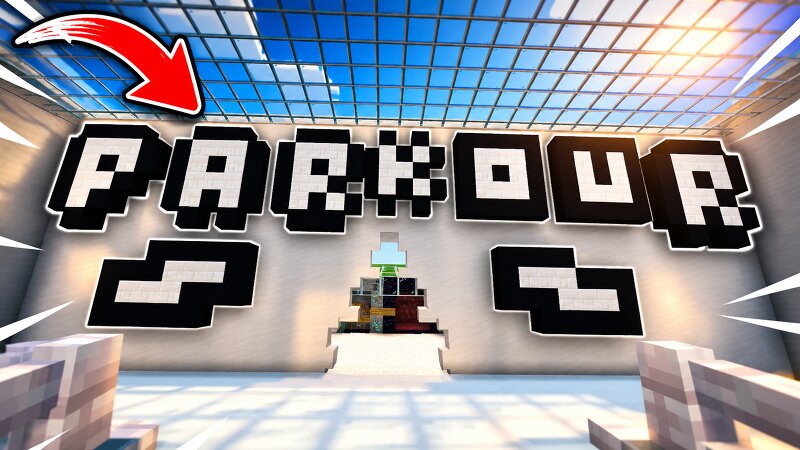
Creator notes
WARNING! Go to my YouTube channel for download my map: Advanced Parkour FULL VERSION - YouTube I cant because im not lvl 20... :( FREE VERSION ON MY PROFILE ENG And finally, I bring you the complete map, it took me 3 days to make it and honestly I would like you to support me for the first time doing this... Thanks :) Here are my social media: https://linktr.ee/NiproXDLOL ----------------------------------------------------------------------------------------------------------------------------------------------------------------------------------------------------------------------------------- ----------------------------------------------------------------------------------------------------------------------------------------------------------------------------------------------------------------------------------- ESP Y finalmente os traigo el mapa completo, me costo 3 dias hacerlo y la verdad me gustaria que me apoyaran por primera vez haciendo esto... Aqui os dejo mis redes sociales: https://linktr.ee/NiproXDLOL
Added value
What’s included on this page
Preview, categories, compatibility, and tools on this page — not a bare file mirror.
- Creator
- NiproXDLOL
- Source
- Minecraft downloads library on Eaglercraft Studio
- Type
- Minecraft map / world
- Price
- Free download on Eaglercraft Studio
- Curation
- Listed with credit to NiproXDLOL · studio preview & install guide
- Compatible with
- Minecraft Java (match version / loader in facts)
- Tags
- Demon, Easy, Hard, Insane, Java, Minecraft
Install guide
How to install this free Minecraft map
Eaglercraft Studio map listing with preview, creator credit, and install steps for Java worlds.
- 1Download the world archive (.zip / .mcworld / schematic) when available.
- 2For Java: extract into your .minecraft/saves folder (or import via your launcher).
- 3Launch Minecraft, select the world, and play. Keep a backup before overwriting saves.
Check any version notes in the facts panel — maps often target a specific Minecraft release.
Related free maps
More curated maps from the same library section.

CraftyFoxe · 761 diamonds · 418 views

CraftyFoxe · 761 diamonds · 339 views

CraftyFoxe · 761 diamonds · 319 views

CraftyFoxe · 761 diamonds · 306 views