
aldebaron's RAVEN BROOKS | A Hello Neighbour 3 inspired map
Creator: BeaulieuPorch · 2026-09-18 · Maps · Free on Eaglercraft Studio
Download aldebaron's RAVEN BROOKS | A Hello Neighbour 3 inspired map — free Minecraft map. Created by BeaulieuPorch. Tagged adventure, exploration, fun, game. Get the world/schematic file when available and explore more free maps on Eaglercraft Studio.
Creator notes
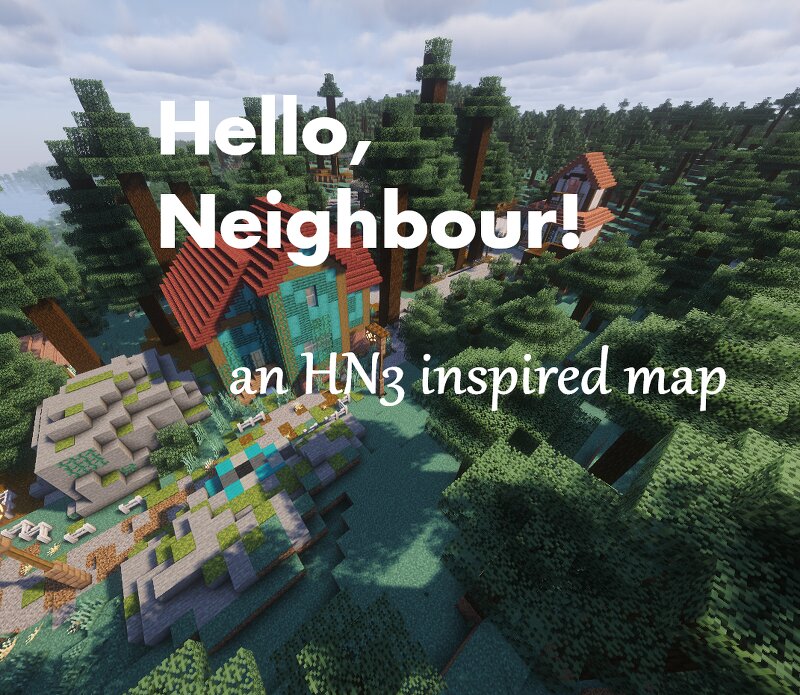
This map attempts to recreate the atmosphere of early Steam screenshots of Hello Neighbour 3 and the teasers of the RBO pre-alpha. It should be done sometime in the near future, hopefully before 2027. This is for Java Edition only. It uses no mods. However, I do use Tectonic for the terrain gen, so it is highly recommended that you install that. The map is made for 26.2 only. I don't know whether this thing will have puzzles or not, I haven't decided yet. The full map is planned to be able to be played multiplayer (e.g. one player is neighbour and other isn't) AND solo It should also be said that this is not intended to be an exact recreation of the Hello Neighbour 3 map, it is just to capture the feeling of it. Thank you for Flogy and Waitforit for inspiring me to make this map, their maps are extremely good (and probably much better than mine)
Added value
What’s included on this page
Preview, categories, compatibility, and tools on this page — not a bare file mirror.
- Creator
- BeaulieuPorch
- Source
- Minecraft downloads library on Eaglercraft Studio
- Type
- Minecraft map / world
- Price
- Free download on Eaglercraft Studio
- Curation
- Listed with credit to BeaulieuPorch · studio preview & install guide
- Compatible with
- Minecraft Java (match version / loader in facts)
- Tags
- Adventure, Exploration, Fun, Game, Helloneighbor, Helloneighbour
Install guide
How to install this free Minecraft map
Eaglercraft Studio map listing with preview, creator credit, and install steps for Java worlds.
- 1Download the world archive (.zip / .mcworld / schematic) when available.
- 2For Java: extract into your .minecraft/saves folder (or import via your launcher).
- 3Launch Minecraft, select the world, and play. Keep a backup before overwriting saves.
Check any version notes in the facts panel — maps often target a specific Minecraft release.
Related free maps
More curated maps from the same library section.

CraftyFoxe · 761 diamonds · 418 views

CraftyFoxe · 761 diamonds · 339 views

CraftyFoxe · 761 diamonds · 319 views

CraftyFoxe · 761 diamonds · 306 views