
backrooms
Creator: JollyBuster · 2026-09-04 · Maps · Free on Eaglercraft Studio
Download backrooms — free Minecraft map. Created by JollyBuster. Tagged other. Get the world/schematic file when available and explore more free maps on Eaglercraft Studio.
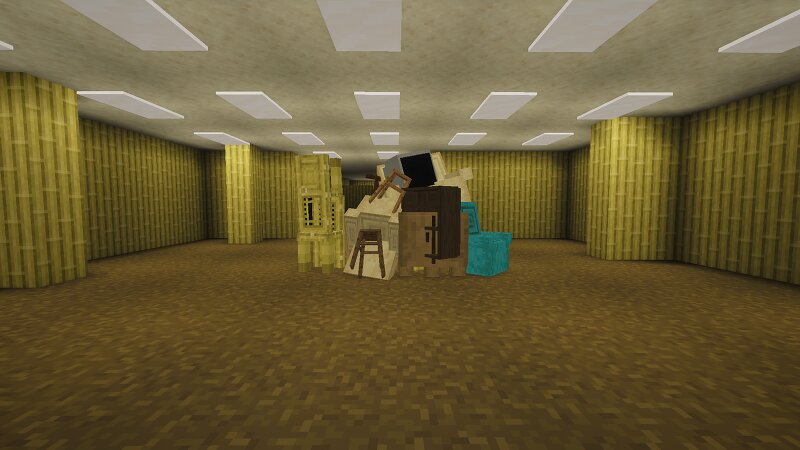
Creator notes
I used the modrinth app along with optimisational mods and axiom to create this. this is my first tine publishing so im unsure if you need to download modrinth along with axiom but i thought i would share this just incase anything isnt working. Text : “KLWNA SVY REC 446 - N. Warne 19 JUN 1990" The screen cuts to footage of an Async researcher named Naren Warne, who is lost in the Kelowna Branch area of the Backrooms . Naren checks his surroundings. Naren Warne : [ muttering ] Okay, okay, okay, okay... He continues looking around. Naren Warne : [ muttering ] Okay. He picks up a duffel bag on the ground and looks around, then runs briefly before coming across the navigation ropes. Naren Warne : [ muttering ] Yes. Yes. Yes, yes. Come on. Come on! Yes... Yes! Yes! Naren follows it, leading him into a secluded outpost . He barricades the entrance with a rolling equipment case and turns around, seeing objects and devices within the room, including a radio transceiver. Naren Warne : [ shakily ] Here we go. Here we go. Okay. [activating the radio] Ah, fuck. Work, work, work. The machine activates with a beep noise. Naren Warne : Standard? Standard, can you-can you hear me? This is Naren,
Added value
What’s included on this page
Preview, categories, compatibility, and tools on this page — not a bare file mirror.
- Creator
- JollyBuster
- Source
- Minecraft downloads library on Eaglercraft Studio
- Type
- Minecraft map / world
- Price
- Free download on Eaglercraft Studio
- Curation
- Listed with credit to JollyBuster · studio preview & install guide
- Compatible with
- Minecraft Java (match version / loader in facts)
- Tags
- Other
Install guide
How to install this free Minecraft map
Eaglercraft Studio map listing with preview, creator credit, and install steps for Java worlds.
- 1Download the world archive (.zip / .mcworld / schematic) when available.
- 2For Java: extract into your .minecraft/saves folder (or import via your launcher).
- 3Launch Minecraft, select the world, and play. Keep a backup before overwriting saves.
Check any version notes in the facts panel — maps often target a specific Minecraft release.
Related free maps
More curated maps from the same library section.

CraftyFoxe · 761 diamonds · 418 views

CraftyFoxe · 761 diamonds · 339 views

CraftyFoxe · 761 diamonds · 319 views

CraftyFoxe · 761 diamonds · 306 views