
Blaze Town Center: A Mix Mall
Creator: RabieBabyBeckyFanatic · 2026-09-24 · Maps · Free on Eaglercraft Studio
Download Blaze Town Center: A Mix Mall — free Minecraft map. Created by RabieBabyBeckyFanatic. Tagged land structure, landstructure, mall, malls. Get the world/schematic file when available and explore more free maps on Eaglercraft Studio.
Creator notes
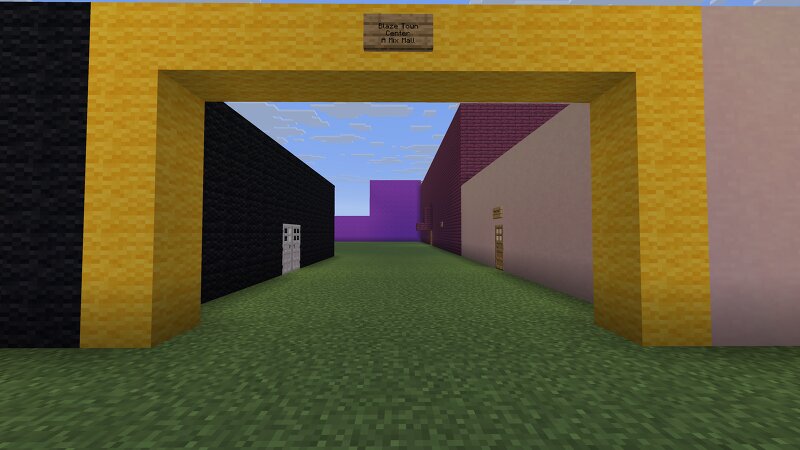
Blaze Town Center Blaze Town Center is a super-regional 2-level indoor shopping mall that is built in 1992 by Mix Malls with original anchors Macy's (then BlazeFind, now demolished), JCPenney, Hecht's (then Macy's), Mervyn's (then Nordstrom, now closed), and Woolworths (then BlazeFind, now demolished). In 2008, the mall demolished the former Woolworths, the old Mix Eats food court, and the former Regal Cinemas for an outdoor wing with a bunch of new shops. In 2009, the mall demolished the former Macy's for a new Mix Eats food court and an outdoor area with Abercrombie and Fitch and Pottery Barn. T he mall contains 70+ stores for you guys to explore, but not all inline spaces are full and only 2 anchor spaces are full. Mix Eats: SUPPORTED with 11 restaurants, but only 7 restaurants are open Mix Lounge: NOT SUPPORTED If you guys have any problems with this mall or questions about this mall? Comment down below. If you guys like this mall, give it a diamond and a favorite, and subscribe to this account because there will be more malls on the way.
Added value
What’s included on this page
Preview, categories, compatibility, and tools on this page — not a bare file mirror.
- Creator
- RabieBabyBeckyFanatic
- Source
- Minecraft downloads library on Eaglercraft Studio
- Type
- Minecraft map / world
- Price
- Free download on Eaglercraft Studio
- Curation
- Listed with credit to RabieBabyBeckyFanatic · studio preview & install guide
- Compatible with
- Minecraft Java (match version / loader in facts)
- Tags
- Land Structure, Landstructure, Mall, Malls
Install guide
How to install this free Minecraft map
Eaglercraft Studio map listing with preview, creator credit, and install steps for Java worlds.
- 1Download the world archive (.zip / .mcworld / schematic) when available.
- 2For Java: extract into your .minecraft/saves folder (or import via your launcher).
- 3Launch Minecraft, select the world, and play. Keep a backup before overwriting saves.
Check any version notes in the facts panel — maps often target a specific Minecraft release.
Related free maps
More curated maps from the same library section.

CraftyFoxe · 761 diamonds · 418 views

CraftyFoxe · 761 diamonds · 339 views

CraftyFoxe · 761 diamonds · 319 views

CraftyFoxe · 761 diamonds · 306 views