
Cobblestone Gen v8 (Omega) Complex Syblock
Creator: WorldGdp · 2026-09-13 · Maps · Free on Eaglercraft Studio
Download Cobblestone Gen v8 (Omega) Complex Syblock — free Minecraft map. Created by WorldGdp. Tagged redstone device. Get the world/schematic file when available and explore more free maps on Eaglercraft Studio.
Creator notes
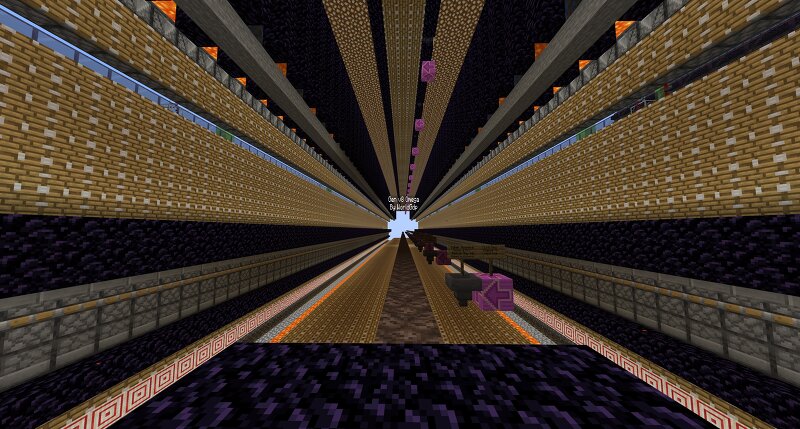
Cobblestone generator for complex skyblock. No buttons! Upgrades People, Upgrades 4x Faster then gen v6 (Average gen) 2x Faster then gen v7 Auto restarts, no longer will reboots or unloading chunks interrupt your mining. (Aka no buttons) Reduce Piston budding, rarely will they get stuck. Its the server's fault if they do. The top has been replaced with water and hoppers to collect more of your runes. Other gens may be burning 50% or more of your runes! Tips 1) The redstone is not simple to build, use easy place with litematica. The redstone needs to be built exactly as shown otherwise it can be incredibly slow. 2) Stacker wand on leaves do not work as they decay, have to manually place them. 3) Make sure you are placing down mangrove roots and not leaves where required by the schematic. 4) Recommended to place the slime towers in its own chunks when possible, reduces sections from shutting down. Not required if your confused. 5) All lava need to be a lava source, if you decide to 'save on lava' don't blame the gen for not working, that's all on you. 6) Read The schematic has signs to help guide player's while building. This gen is easily modular if you know what your doing, can be
Added value
What’s included on this page
Preview, categories, compatibility, and tools on this page — not a bare file mirror.
- Creator
- WorldGdp
- Source
- Minecraft downloads library on Eaglercraft Studio
- Type
- Minecraft map / world
- Price
- Free download on Eaglercraft Studio
- Curation
- Listed with credit to WorldGdp · studio preview & install guide
- Compatible with
- Minecraft Java (match version / loader in facts)
- Tags
- Redstone Device
Install guide
How to install this free Minecraft map
Eaglercraft Studio map listing with preview, creator credit, and install steps for Java worlds.
- 1Download the world archive (.zip / .mcworld / schematic) when available.
- 2For Java: extract into your .minecraft/saves folder (or import via your launcher).
- 3Launch Minecraft, select the world, and play. Keep a backup before overwriting saves.
Check any version notes in the facts panel — maps often target a specific Minecraft release.
Related free maps
More curated maps from the same library section.

CraftyFoxe · 761 diamonds · 418 views

CraftyFoxe · 761 diamonds · 339 views

CraftyFoxe · 761 diamonds · 319 views

CraftyFoxe · 761 diamonds · 306 views