
College Point, Queens, NYC
Creator: Dyedplays · 2026-08-30 · Maps · Free on Eaglercraft Studio
Download College Point, Queens, NYC — free Minecraft map. Created by Dyedplays. Tagged arnismc, irl, other. Get the world/schematic file when available and explore more free maps on Eaglercraft Studio.
Creator notes
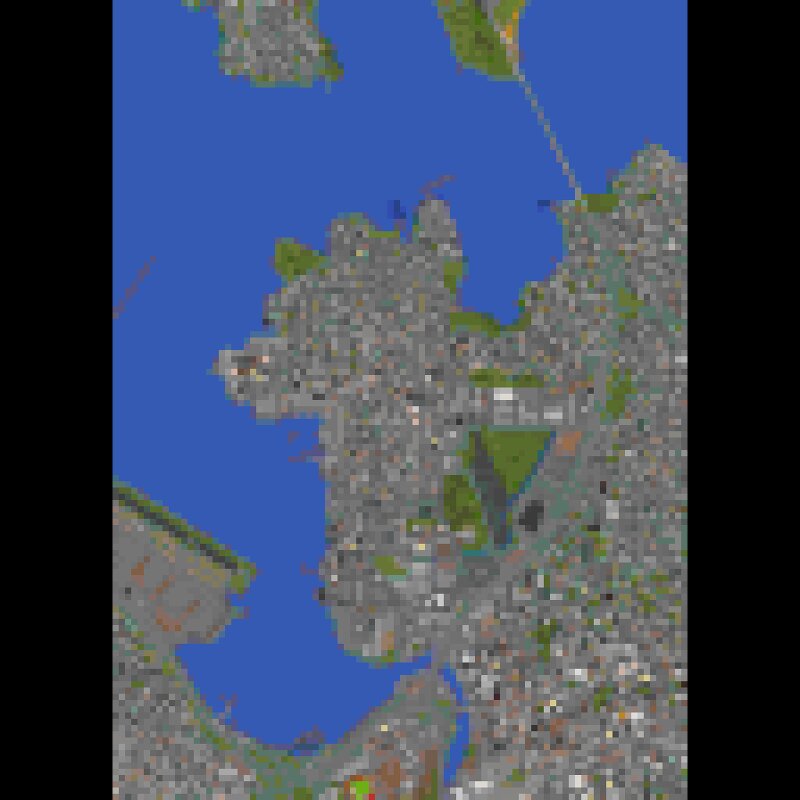
This map was requested by SinisterIsRandom, and is a mostly accurate replica of College Point in Queens, New York along with surrounding land. This map comes in the fully urbanized map with civilization, and then a flatter, terrain-only map. Program/Software Recommendations/Credits: MCA Selector: Credit to Querz on GitHub for developing this software. MCA Selector allows you to view all of the chunks in your Minecraft Java world. MCA Selector Link: https://github.com/querz/mcaselector Arnis: Credit to Louis-e for this open-source software. Arnis uses OpenStreetMap data to accurately generate representations of real world regions onto a Minecraft world. Arnis link: https://arnismc.com/ Mod Recommendations: Xaero's World Map on Curseforge: Credit to xaero96 for creating this code mod. Xaero's world map is a mod that is compatible with 3 mod loaders being Forge, NeoForge, and Fabric. Xaero's World Map allows you to see your coordinates/location on your Minecraft world. Xaero's World Map Link: [url= www.curseforge.com/minecraft/mc-mods/xaeros-world-map ] www.curseforge.com/minecraft/mc-mods/xaeros-world-map Enjoy!
Added value
What’s included on this page
Preview, categories, compatibility, and tools on this page — not a bare file mirror.
- Creator
- Dyedplays
- Source
- Minecraft downloads library on Eaglercraft Studio
- Type
- Minecraft map / world
- Price
- Free download on Eaglercraft Studio
- Curation
- Listed with credit to Dyedplays · studio preview & install guide
- Compatible with
- Minecraft Java (match version / loader in facts)
- Tags
- Arnismc, Irl, Other
Install guide
How to install this free Minecraft map
Eaglercraft Studio map listing with preview, creator credit, and install steps for Java worlds.
- 1Download the world archive (.zip / .mcworld / schematic) when available.
- 2For Java: extract into your .minecraft/saves folder (or import via your launcher).
- 3Launch Minecraft, select the world, and play. Keep a backup before overwriting saves.
Check any version notes in the facts panel — maps often target a specific Minecraft release.
Related free maps
More curated maps from the same library section.

CraftyFoxe · 761 diamonds · 418 views

CraftyFoxe · 761 diamonds · 339 views

CraftyFoxe · 761 diamonds · 319 views

CraftyFoxe · 761 diamonds · 306 views