
Conifer Trees - Set 1 | Axiom Asset Pack
Creator: Kobuta · 2026-09-03 · Maps · Free on Eaglercraft Studio
Download Conifer Trees - Set 1 | Axiom Asset Pack — free Minecraft map. Created by Kobuta. Tagged axiom, axiomstamp, conifertrees, minecart. Get the world/schematic file when available and explore more free maps on Eaglercraft Studio.
Creator notes
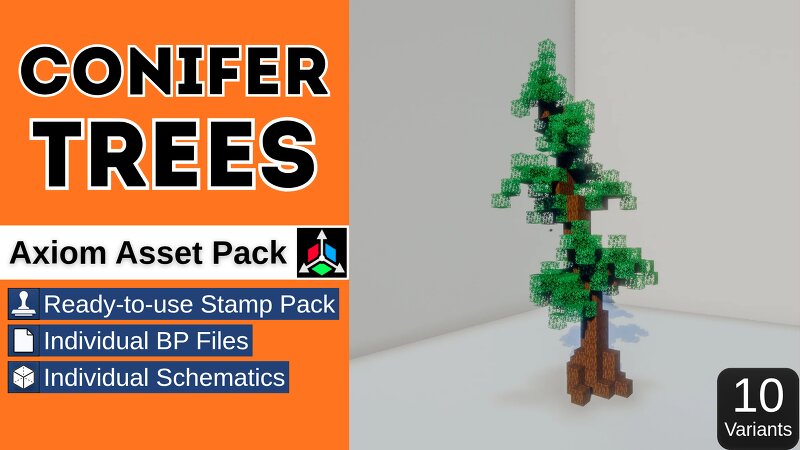
Conifer Trees | Axiom Asset Pack Built as a complete worldbuilding system — not just another folder of tree models. Conifer Trees includes 10 unique conifer variants with irregular trunks, varied silhouettes and natural foliage distribution, designed for forests, mountains and large-scale environments. Watch the showcase video to see the trees in use with the Axiom Stamp Tool. WHAT'S INCLUDED This pack provides three different ways to work with the trees: • Ready-to-use Stamp Pack • Individual BP Files • Individual Schematics READY-TO-USE STAMP PACK The fastest way to use the collection. Instead of placing every tree manually, load the prepared preset into the Axiom Stamp Tool and paint entire forests directly across your terrain. You can adjust: • Placement density • Random Rotation • Random X/Z Mirroring • Brush size • Multiple overlapping passes for denser forests • Extend Foundation To Ground for slopes and uneven terrain This makes it possible to create large, varied forests quickly without placing trees one by one. INDIVIDUAL BP FILES Each tree is also provided as a separate BP file. Use only the variants you want, combine trees from different packs, add your own assets, and
Added value
What’s included on this page
Preview, categories, compatibility, and tools on this page — not a bare file mirror.
- Creator
- Kobuta
- Source
- Minecraft downloads library on Eaglercraft Studio
- Type
- Minecraft map / world
- Price
- Free download on Eaglercraft Studio
- Curation
- Listed with credit to Kobuta · studio preview & install guide
- Compatible with
- Minecraft Java (match version / loader in facts)
- Tags
- Axiom, Axiomstamp, Conifertrees, Minecart, Trees
Install guide
How to install this free Minecraft map
Eaglercraft Studio map listing with preview, creator credit, and install steps for Java worlds.
- 1Download the world archive (.zip / .mcworld / schematic) when available.
- 2For Java: extract into your .minecraft/saves folder (or import via your launcher).
- 3Launch Minecraft, select the world, and play. Keep a backup before overwriting saves.
Check any version notes in the facts panel — maps often target a specific Minecraft release.
Related free maps
More curated maps from the same library section.

CraftyFoxe · 761 diamonds · 418 views

CraftyFoxe · 761 diamonds · 339 views

CraftyFoxe · 761 diamonds · 319 views

CraftyFoxe · 761 diamonds · 306 views