
Counter Presence: Global Offensive
Creator: Fustcoma · 2026-09-04 · Maps · Free on Eaglercraft Studio
Download Counter Presence: Global Offensive — free Minecraft map. Created by Fustcoma. Tagged commandblocks, counterstrike, csgo, other. Get the world/schematic file when available and explore more free maps on Eaglercraft Studio.
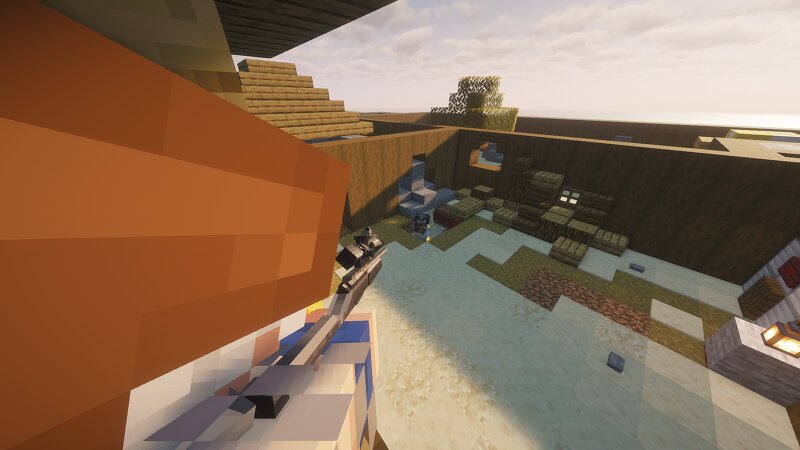
Creator notes
A Counter-Strike: Global Offensive inspired game mode recreated in Minecraft , using command blocks and Fabric mods. To play CP:GO , you will also need to download and install the required mods listed below. Version: v0.1.0-beta This is an early testing version and many features are still being developed, changed, or improved. The project is publicly available, but you may encounter bugs, unfinished features, balancing issues, or other problems. --- Mods Required - [UNOFFICIAL] TaCZ Refabricated — Required for the weapon system. - Essential Mod — Required to play with other players. Required Dependencies - Forge Config API Port - Collective - Framework - Lithium Optional - Just Enough Items (JEI) — Not required to play. Recommended for easier access to item information and recipes. - Not Enough Animations — Not required to play. Recommended for better animations. - WorldEdit — Not required to play. Recommended for easier map editing. - Compact Help Command — Not required to play. Recommended for easier access to commands. --- ## Requirements - Minecraft: 26.2 - Mod Loader: Fabric - Fabric Loader: 0.158.0+26.2 Make sure you use the correct Minecraft and Fabric versions required by
Added value
What’s included on this page
Preview, categories, compatibility, and tools on this page — not a bare file mirror.
- Creator
- Fustcoma
- Source
- Minecraft downloads library on Eaglercraft Studio
- Type
- Minecraft map / world
- Price
- Free download on Eaglercraft Studio
- Curation
- Listed with credit to Fustcoma · studio preview & install guide
- Compatible with
- Minecraft Java (match version / loader in facts)
- Tags
- Commandblocks, Counterstrike, Csgo, Other, Pvp
Install guide
How to install this free Minecraft map
Eaglercraft Studio map listing with preview, creator credit, and install steps for Java worlds.
- 1Download the world archive (.zip / .mcworld / schematic) when available.
- 2For Java: extract into your .minecraft/saves folder (or import via your launcher).
- 3Launch Minecraft, select the world, and play. Keep a backup before overwriting saves.
Check any version notes in the facts panel — maps often target a specific Minecraft release.
Related free maps
More curated maps from the same library section.

CraftyFoxe · 761 diamonds · 418 views

CraftyFoxe · 761 diamonds · 339 views

CraftyFoxe · 761 diamonds · 319 views

CraftyFoxe · 761 diamonds · 306 views