
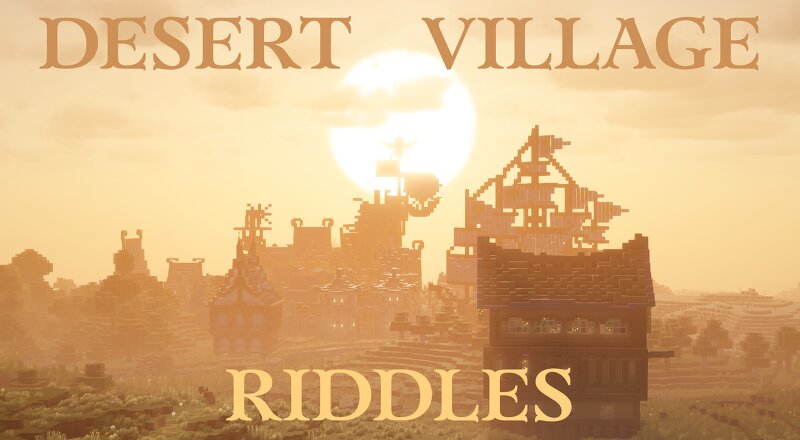
Desert Village Riddles
Creator: VeiledVoid · 2026-09-23 · Maps · Free on Eaglercraft Studio
Download Desert Village Riddles — free Minecraft map. Created by VeiledVoid. Tagged challenge adventure. Get the world/schematic file when available and explore more free maps on Eaglercraft Studio.
Creator notes
Download from drive, drag folder from inside zip to your saves folder. A Minecraft world with a bunch of custom builds set up, and riddles that point to those builds. You'll get a starting riddle which talks about a specific build, you're supposed to go there and find the next riddle. There are about 26 riddles, and they tell a story as you solve them. Riddles are numbered. If you find a riddle you weren't meant to find yet, please leave it and come back later. Use all of your resources. There are riddles that will be hard to find without clues given to you in the starting book. There is a map room at Beach Village, it's very helpful. (you spawn right next to it when first loading into the world) All riddles can be found without breaking any blocks. A few require ender pearls to get into certain positions. Basically, check everywhere in and around the build the riddle points to. Riddles are hidden well, look closely. Names are specific. For example: Wither Base, Wither Castle, and Wither City are all different places. All riddles are on the map at Beach Village, except 4 of them. The starting book tells you how to reach ones far away. There are more challenges after the riddles tha
Added value
What’s included on this page
Preview, categories, compatibility, and tools on this page — not a bare file mirror.
- Creator
- VeiledVoid
- Source
- Minecraft downloads library on Eaglercraft Studio
- Type
- Minecraft map / world
- Price
- Free download on Eaglercraft Studio
- Curation
- Listed with credit to VeiledVoid · studio preview & install guide
- Compatible with
- Minecraft Java (match version / loader in facts)
- Tags
- Challenge Adventure
Install guide
How to install this free Minecraft map
Eaglercraft Studio map listing with preview, creator credit, and install steps for Java worlds.
- 1Download the world archive (.zip / .mcworld / schematic) when available.
- 2For Java: extract into your .minecraft/saves folder (or import via your launcher).
- 3Launch Minecraft, select the world, and play. Keep a backup before overwriting saves.
Check any version notes in the facts panel — maps often target a specific Minecraft release.
Related free maps
More curated maps from the same library section.

CraftyFoxe · 761 diamonds · 418 views

CraftyFoxe · 761 diamonds · 339 views

CraftyFoxe · 761 diamonds · 319 views

CraftyFoxe · 761 diamonds · 306 views