
Four Corners: Polished
Creator: NekitoZ · 2026-09-25 · Maps · Free on Eaglercraft Studio
Download Four Corners: Polished — free Minecraft map. Created by NekitoZ. Tagged corners, evade, four, liminal. Get the world/schematic file when available and explore more free maps on Eaglercraft Studio.
Creator notes
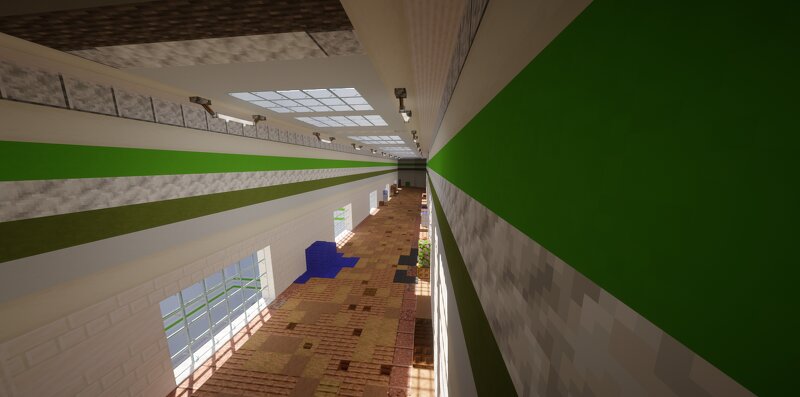
==== You have trapped it 4? same corners, and now your fate is run round and round it, until life left your body... Based on "Four Corners" from roblox game named "Evade" ==== Main Version: - 1.20.1 ==== Game - https://www.roblox.com/games/9872472334/Evade Map's Wiki page - https:/ /evade.fandom.com/wiki/Four_Corners ==== reference* also its a remake of my old map go find if you want i lazy to send link and go continue rot in bed..
Added value
What’s included on this page
Preview, categories, compatibility, and tools on this page — not a bare file mirror.
- Creator
- NekitoZ
- Source
- Minecraft downloads library on Eaglercraft Studio
- Type
- Minecraft map / world
- Price
- Free download on Eaglercraft Studio
- Curation
- Listed with credit to NekitoZ · studio preview & install guide
- Compatible with
- Minecraft Java (match version / loader in facts)
- Tags
- Corners, Evade, Four, Liminal, Liminalspace, Other
Install guide
How to install this free Minecraft map
Eaglercraft Studio map listing with preview, creator credit, and install steps for Java worlds.
- 1Download the world archive (.zip / .mcworld / schematic) when available.
- 2For Java: extract into your .minecraft/saves folder (or import via your launcher).
- 3Launch Minecraft, select the world, and play. Keep a backup before overwriting saves.
Check any version notes in the facts panel — maps often target a specific Minecraft release.
Related free maps
More curated maps from the same library section.

CraftyFoxe · 761 diamonds · 418 views

CraftyFoxe · 761 diamonds · 339 views

CraftyFoxe · 761 diamonds · 319 views

CraftyFoxe · 761 diamonds · 306 views