
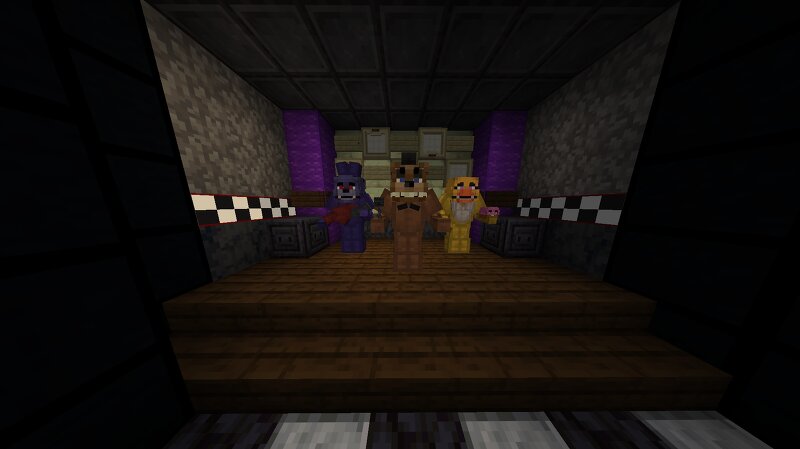
Fully working FNAF 1! (Java edition only, build + gameplay)
Creator: inmyreadingera · 2026-09-01 · Maps · Free on Eaglercraft Studio
Download Fully working FNAF 1! (Java edition only, build + gameplay) — free Minecraft map. Created by inmyreadingera. Tagged challenge adventure, fnaf, fnaf1, game. Get the world/schematic file when available and explore more free maps on Eaglercraft Studio.
Creator notes
Fully working Five Nights at Freddy's 1 in Minecraft!! (Java edition) (Reupload to add download) No mods No data packs No resource packs Fully made using only command blocks Everything it doesn't include: - Office windows I instead put them inside the doors - Golden Freddy (In Game) He is included in the custom night jump scare, but not actually in-game, this will most likely change Everything it does include: - All 6 main gameplay nights - All 4 animatronics as accurate to the original game as possible - Fully functional gameplay - All 5 phone guy calls, and a mute button - Custom night (unlocked after night 5) - Cheats (unlocked after night 5) - Almost else everything from the real game How to play: Cameras: The cameras are actually located in your inventory, to use a camera either move it to your offhand, throw it, or click on it. Clicking on the item does mean the item will stay in your curser (there is no way to access the item in your curser to /clear it) which could be annoying. Doors/Lights: The doors and lights buttons are located next to the door, to close/open a door press the bottom buttons, and to turn on/off lights press the top buttons (toggle). Night selection scree
Added value
What’s included on this page
Preview, categories, compatibility, and tools on this page — not a bare file mirror.
- Creator
- inmyreadingera
- Source
- Minecraft downloads library on Eaglercraft Studio
- Type
- Minecraft map / world
- Price
- Free download on Eaglercraft Studio
- Curation
- Listed with credit to inmyreadingera · studio preview & install guide
- Compatible with
- Minecraft Java (match version / loader in facts)
- Tags
- Challenge Adventure, Fnaf, Fnaf1, Game, Recreation
Install guide
How to install this free Minecraft map
Eaglercraft Studio map listing with preview, creator credit, and install steps for Java worlds.
- 1Download the world archive (.zip / .mcworld / schematic) when available.
- 2For Java: extract into your .minecraft/saves folder (or import via your launcher).
- 3Launch Minecraft, select the world, and play. Keep a backup before overwriting saves.
Check any version notes in the facts panel — maps often target a specific Minecraft release.
Related free maps
More curated maps from the same library section.

CraftyFoxe · 761 diamonds · 418 views

CraftyFoxe · 761 diamonds · 339 views

CraftyFoxe · 761 diamonds · 319 views

CraftyFoxe · 761 diamonds · 306 views