
Half-life In Minecraft
Creator: gold_spider · 2026-09-03 · Maps · Free on Eaglercraft Studio
Download Half-life In Minecraft — free Minecraft map. Created by gold_spider. Tagged adventurehalflife, adventuremap, challenge adventure, halflife. Get the world/schematic file when available and explore more free maps on Eaglercraft Studio.
Creator notes
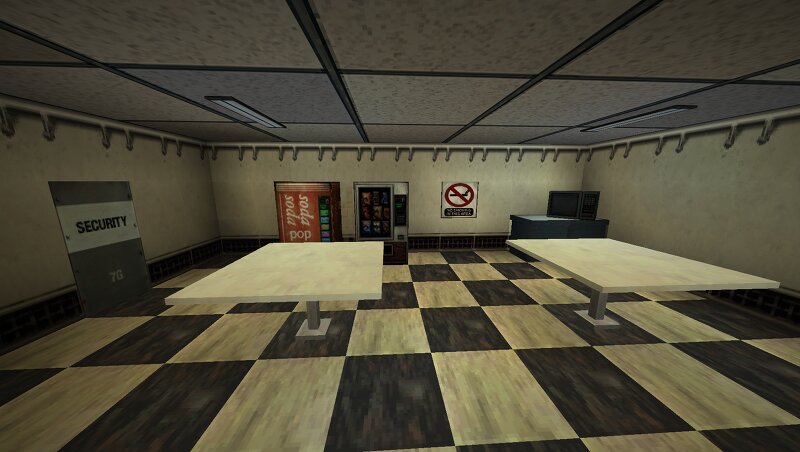
Description This is my work in progress Half-life recreation made entirely in vanilla Minecraft. I've gotten roughly four chapters of the base game made up! Through the use of a custom Resourcepack and map that utilizes aspects from Half-life faithful elements could be brought directly into the adventure! A majority of the scripts from the game have been recreated using commands blocks, Datapack functions, and in-game sound files from the pack. REQUIREMENTS: - Minecraft 26.2 game version. - Use the custom resourcepack included in the download. GAME SETTINGS: - Brightness: MOODY - Smooth Lighting: ON - Particles: ALL - Clouds: OFF - Music: ON - Sound: ON - 4GB or more allocated for Minecraft GAMEPLAY INFO: The map was mostly designed around single-player, but most things should work in co-op. Credits: All credits to Valve for the original game. The map, resourcepack, and datapacks were all made by me.
Added value
What’s included on this page
Preview, categories, compatibility, and tools on this page — not a bare file mirror.
- Creator
- gold_spider
- Source
- Minecraft downloads library on Eaglercraft Studio
- Type
- Minecraft map / world
- Price
- Free download on Eaglercraft Studio
- Curation
- Listed with credit to gold_spider · studio preview & install guide
- Compatible with
- Minecraft Java (match version / loader in facts)
- Tags
- Adventurehalflife, Adventuremap, Challenge Adventure, Halflife, Halflife1, Halflifeinminecraft
Install guide
How to install this free Minecraft map
Eaglercraft Studio map listing with preview, creator credit, and install steps for Java worlds.
- 1Download the world archive (.zip / .mcworld / schematic) when available.
- 2For Java: extract into your .minecraft/saves folder (or import via your launcher).
- 3Launch Minecraft, select the world, and play. Keep a backup before overwriting saves.
Check any version notes in the facts panel — maps often target a specific Minecraft release.
Related free maps
More curated maps from the same library section.

CraftyFoxe · 761 diamonds · 418 views

CraftyFoxe · 761 diamonds · 339 views

CraftyFoxe · 761 diamonds · 319 views

CraftyFoxe · 761 diamonds · 306 views