
Justice League | Heroes Park
Creator: Axolaur · 2026-09-13 · Maps · Free on Eaglercraft Studio
Download Justice League | Heroes Park — free Minecraft map. Created by Axolaur. Tagged bvs, city, other, park. Get the world/schematic file when available and explore more free maps on Eaglercraft Studio.
Creator notes
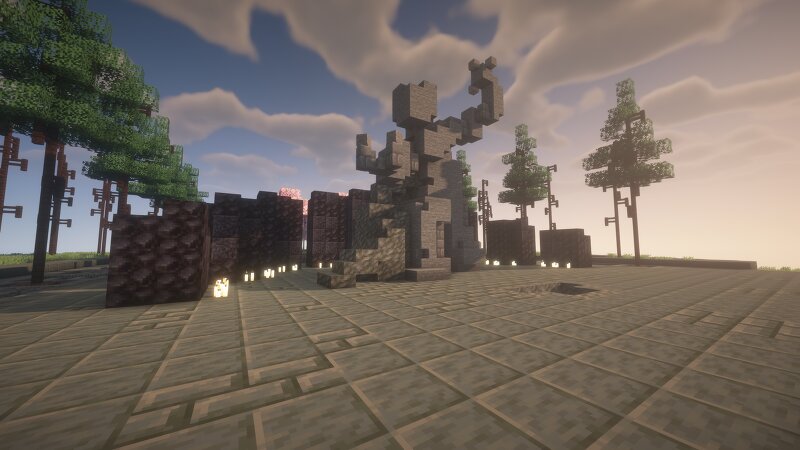
MAP IS UNMODDED! Inspired by the iconic memorial and public space dedicated to Metropolis greatest hero, this build is designed as a centerpiece for a city, superhero map, or custom projects. The park features a large open area designed for showcasing Superman's statue and his legacy, making it suitable for displaying monuments and other DC-inspired builds. Includes: Detailed architecture and landscaping Dedicated area for Superman display Ready-to-use Minecraft world Designed to fit into larger superhero-themed cities and maps Perfect for fans looking to create their own memorials or cities in Minecraft. A lot of effort went into balancing movie accuracy with Minecraft-style detailing, especially with terrain work, materials and lighting. Made in Minecraft version 26.2, unmodded. Thank you to everyone supporting these projects here on Patreon. Your support genuinely helps make larger and more ambitious builds possible.
Added value
What’s included on this page
Preview, categories, compatibility, and tools on this page — not a bare file mirror.
- Creator
- Axolaur
- Source
- Minecraft downloads library on Eaglercraft Studio
- Type
- Minecraft map / world
- Price
- Free download on Eaglercraft Studio
- Curation
- Listed with credit to Axolaur · studio preview & install guide
- Compatible with
- Minecraft Java (match version / loader in facts)
- Tags
- Bvs, City, Other, Park, Recreation, Snydercut
Install guide
How to install this free Minecraft map
Eaglercraft Studio map listing with preview, creator credit, and install steps for Java worlds.
- 1Download the world archive (.zip / .mcworld / schematic) when available.
- 2For Java: extract into your .minecraft/saves folder (or import via your launcher).
- 3Launch Minecraft, select the world, and play. Keep a backup before overwriting saves.
Check any version notes in the facts panel — maps often target a specific Minecraft release.
Related free maps
More curated maps from the same library section.

CraftyFoxe · 761 diamonds · 418 views

CraftyFoxe · 761 diamonds · 339 views

CraftyFoxe · 761 diamonds · 319 views

CraftyFoxe · 761 diamonds · 306 views