
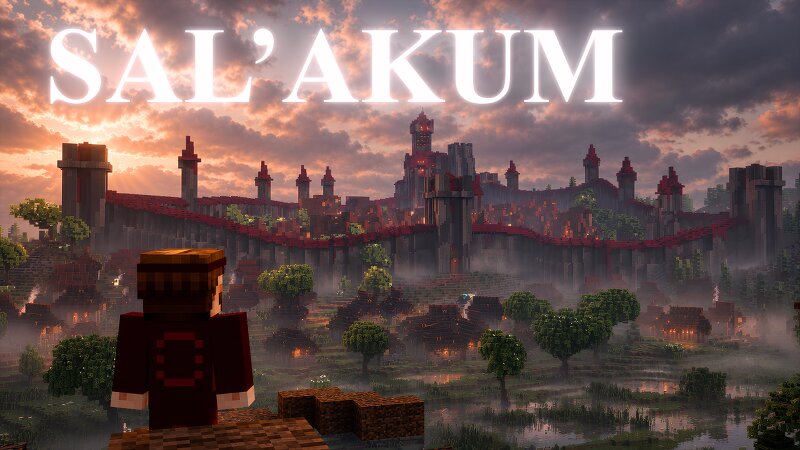
Minecraft Dark Fantasy City of Sal'Akum
Creator: T17N · 2026-09-27 · Maps · Free on Eaglercraft Studio
Download Minecraft Dark Fantasy City of Sal'Akum — free Minecraft map. Created by T17N. Tagged city, dark, fantasy, massive. Get the world/schematic file when available and explore more free maps on Eaglercraft Studio.
Creator notes
He came to the Sállean Empire searching for his friends. After traveling farther than he ever had before, he reached one of Sállea’s great cities, hoping to find someone who had seen them. Instead, he was captured by the city’s guards. Brought before a Sállean official, he was questioned about where he came from and why he was searching their lands. The official seemed almost amused by his desperation. His friends were not here. But he offered him a place where outsiders often ended up: the Asylum, far to the south. Now, with no choice but to follow, the visitor is being taken there. And whatever awaits him in the Asylum may be far worse than captivity. Please note: Atera is designed first and foremost as a cinematic world, with an emphasis on storytelling, atmosphere, and exploration. As a result, some interiors may be inaccessible or unfinished, and certain areas may not be fully polished from a gameplay perspective. Rather than a traditional adventure map, Atera is intended to be experienced as a living world through its visuals, lore, and cinematic journey. DOWNLOAD: patreon.com/T17N
Added value
What’s included on this page
Preview, categories, compatibility, and tools on this page — not a bare file mirror.
- Creator
- T17N
- Source
- Minecraft downloads library on Eaglercraft Studio
- Type
- Minecraft map / world
- Price
- Free download on Eaglercraft Studio
- Curation
- Listed with credit to T17N · studio preview & install guide
- Compatible with
- Minecraft Java (match version / loader in facts)
- Tags
- City, Dark, Fantasy, Massive, Medieval, Other
Install guide
How to install this free Minecraft map
Eaglercraft Studio map listing with preview, creator credit, and install steps for Java worlds.
- 1Download the world archive (.zip / .mcworld / schematic) when available.
- 2For Java: extract into your .minecraft/saves folder (or import via your launcher).
- 3Launch Minecraft, select the world, and play. Keep a backup before overwriting saves.
Check any version notes in the facts panel — maps often target a specific Minecraft release.
Related free maps
More curated maps from the same library section.

CraftyFoxe · 761 diamonds · 418 views

CraftyFoxe · 761 diamonds · 339 views

CraftyFoxe · 761 diamonds · 319 views

CraftyFoxe · 761 diamonds · 306 views