
monrepos park 1:1
Creator: -realistics city studio- · 2026-08-30 · Maps · Free on Eaglercraft Studio
Download monrepos park 1:1 — free Minecraft map. Created by -realistics city studio-. Tagged other. Get the world/schematic file when available and explore more free maps on Eaglercraft Studio.
Creator notes
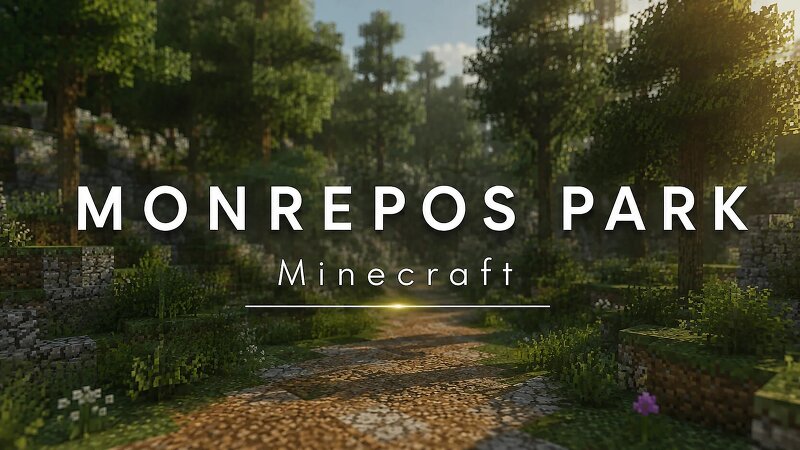
The final release! ------------------------------------------------------------------------------------------------------------------------ The most realistic recreation of Monrepos Park in 1:1 in Vyborg Russia, recreated in Minecraft with a strong focus on historical and visual accuracy. The map features the park's most recognizable landmarks and landscapes, including the famous Monrepos rocky cliffs, scenic walking paths, picturesque coastline, forests, bridges, and historic architectural elements. The surrounding natural landscape has also been carefully recreated to capture the unique atmosphere of Monrepos Park as faithfully as possible. From the rugged granite formations and quiet forest trails to the shores of Vyborg Bay, every area has been designed to recreate the distinctive scenery and atmosphere of one of Vyborg's most iconic historical parks. ------------------------------------------------------------------------------------------------------------------------ Please note: This world is not designed for standard survival gameplay. It does not include ores or naturally generated Minecraft features. The focus is on visual accuracy and pushing the creative and technical
Added value
What’s included on this page
Preview, categories, compatibility, and tools on this page — not a bare file mirror.
- Creator
- -realistics city studio-
- Source
- Minecraft downloads library on Eaglercraft Studio
- Type
- Minecraft map / world
- Price
- Free download on Eaglercraft Studio
- Curation
- Listed with credit to -realistics city studio- · studio preview & install guide
- Compatible with
- Minecraft Java (match version / loader in facts)
- Tags
- Other
Install guide
How to install this free Minecraft map
Eaglercraft Studio map listing with preview, creator credit, and install steps for Java worlds.
- 1Download the world archive (.zip / .mcworld / schematic) when available.
- 2For Java: extract into your .minecraft/saves folder (or import via your launcher).
- 3Launch Minecraft, select the world, and play. Keep a backup before overwriting saves.
Check any version notes in the facts panel — maps often target a specific Minecraft release.
Related free maps
More curated maps from the same library section.

CraftyFoxe · 761 diamonds · 418 views

CraftyFoxe · 761 diamonds · 339 views

CraftyFoxe · 761 diamonds · 319 views

CraftyFoxe · 761 diamonds · 306 views