
OBBY DIFFICULTY CHART
Creator: Pe_pik12CZ · 2026-09-18 · Maps · Free on Eaglercraft Studio
Download OBBY DIFFICULTY CHART — free Minecraft map. Created by Pe_pik12CZ. Tagged other. Get the world/schematic file when available and explore more free maps on Eaglercraft Studio.
Creator notes
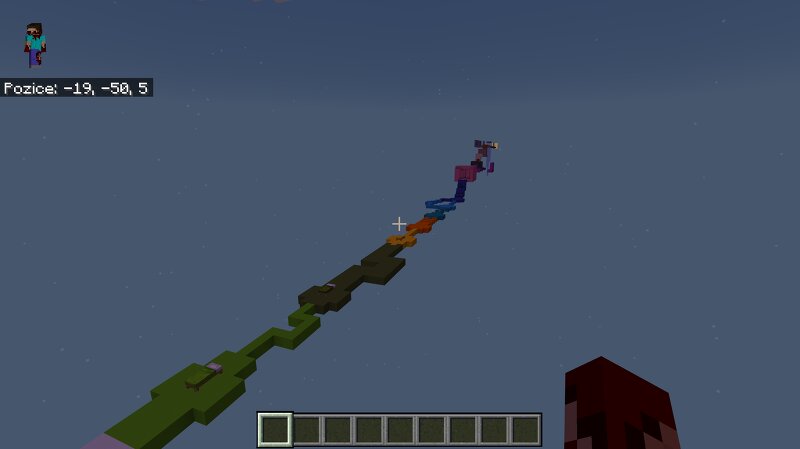
🌈 PARKOUR DIMENSIONS PARKOUR DIMENSIONS is a challenging Minecraft parkour map inspired by the Obby Difficulty Chart system. Progress through a series of increasingly difficult parkour sections, each designed to test your movement, precision, timing, and consistency . The further you get, the more demanding the obstacles become. ⚡ DIFFICULTY CHART 🟢 Easy — Basic jumps and obstacles 🟡 Normal — Simple but more precise jumps 🟠 Hard — More challenging obstacle combinations 🔴 Difficult — High precision and timing required 🟣 Challenging — Very demanding parkour sections ⚫ Insane — Extreme precision and consistency 💀 Extreme — A serious challenge for experienced players ☠️ Impossible — The ultimate test of skill 🏆 YOUR GOAL Complete every section and make your way from Easy to the highest difficulty . ⚠️ The difficulty increases progressively. Stay focused, master each section, and don't give up after a few falls. 🎮 Minecraft Parkour / Obby 🔥 Difficulty Chart 🏆 Complete the challenge Good luck, and have fun!
Added value
What’s included on this page
Preview, categories, compatibility, and tools on this page — not a bare file mirror.
- Creator
- Pe_pik12CZ
- Source
- Minecraft downloads library on Eaglercraft Studio
- Type
- Minecraft map / world
- Price
- Free download on Eaglercraft Studio
- Curation
- Listed with credit to Pe_pik12CZ · studio preview & install guide
- Compatible with
- Minecraft Java (match version / loader in facts)
- Tags
- Other
Install guide
How to install this free Minecraft map
Eaglercraft Studio map listing with preview, creator credit, and install steps for Java worlds.
- 1Download the world archive (.zip / .mcworld / schematic) when available.
- 2For Java: extract into your .minecraft/saves folder (or import via your launcher).
- 3Launch Minecraft, select the world, and play. Keep a backup before overwriting saves.
Check any version notes in the facts panel — maps often target a specific Minecraft release.
Related free maps
More curated maps from the same library section.

CraftyFoxe · 761 diamonds · 418 views

CraftyFoxe · 761 diamonds · 339 views

CraftyFoxe · 761 diamonds · 319 views

CraftyFoxe · 761 diamonds · 306 views