
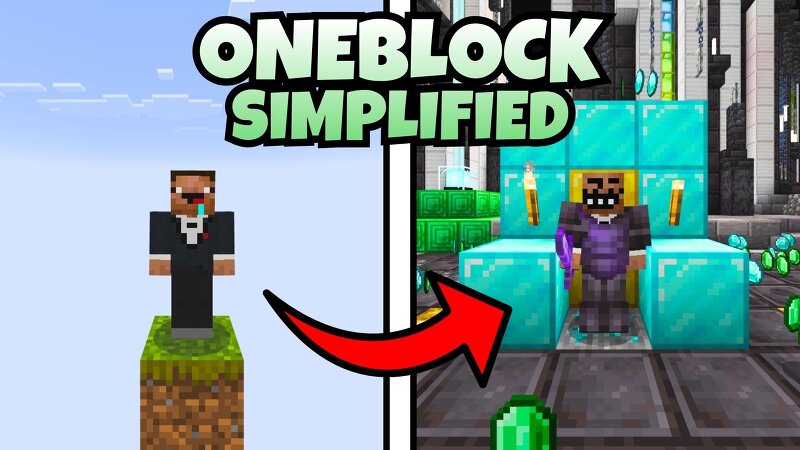
ONEBLOCK SIMPLIFIED (One block Skyblock)
Creator: ADTminecraft · 2026-09-18 · Maps · Free on Eaglercraft Studio
Download ONEBLOCK SIMPLIFIED (One block Skyblock) — free Minecraft map. Created by ADTminecraft. Tagged challenge adventure, multiplayer, oneblock, singleplayer. Get the world/schematic file when available and explore more free maps on Eaglercraft Studio.
Creator notes
Oneblock Skyblock but it isn't overcomplicated Theres too many oneblock maps out here with all these complicated mechanics where the biome changes after a certain point or some other gimmick. It's too much!!!!!! Nooooo!!!! What if you just want to break the block and get another random block? So we made this map!!!! ONEBLOCK SIMPLIFIED Theres no biome/region progression at all The block selection is completely random We included blocks from every biome so you can get everything you could possibly need Important items like water and lava buckets, seeds and other crops are obtainable too uhh idk why im formatting this like that but whatever yeah play this map its cool and fun there is an end portal at 700 50 0 you can make nether portal yourself ALSO when I said "we" made this map, I meant: AwesomeAD1062 TDN12345 and ADTminecraft (me... heh.) thank you for helping 2 make this my humble homies
Added value
What’s included on this page
Preview, categories, compatibility, and tools on this page — not a bare file mirror.
- Creator
- ADTminecraft
- Source
- Minecraft downloads library on Eaglercraft Studio
- Type
- Minecraft map / world
- Price
- Free download on Eaglercraft Studio
- Curation
- Listed with credit to ADTminecraft · studio preview & install guide
- Compatible with
- Minecraft Java (match version / loader in facts)
- Tags
- Challenge Adventure, Multiplayer, Oneblock, Singleplayer, Skyblock, Survival
Install guide
How to install this free Minecraft map
Eaglercraft Studio map listing with preview, creator credit, and install steps for Java worlds.
- 1Download the world archive (.zip / .mcworld / schematic) when available.
- 2For Java: extract into your .minecraft/saves folder (or import via your launcher).
- 3Launch Minecraft, select the world, and play. Keep a backup before overwriting saves.
Check any version notes in the facts panel — maps often target a specific Minecraft release.
Related free maps
More curated maps from the same library section.

CraftyFoxe · 761 diamonds · 418 views

CraftyFoxe · 761 diamonds · 339 views

CraftyFoxe · 761 diamonds · 319 views

CraftyFoxe · 761 diamonds · 306 views