
Poppy playtime Survival demo
Creator: Alexandretnt · 2026-09-23 · Maps · Free on Eaglercraft Studio
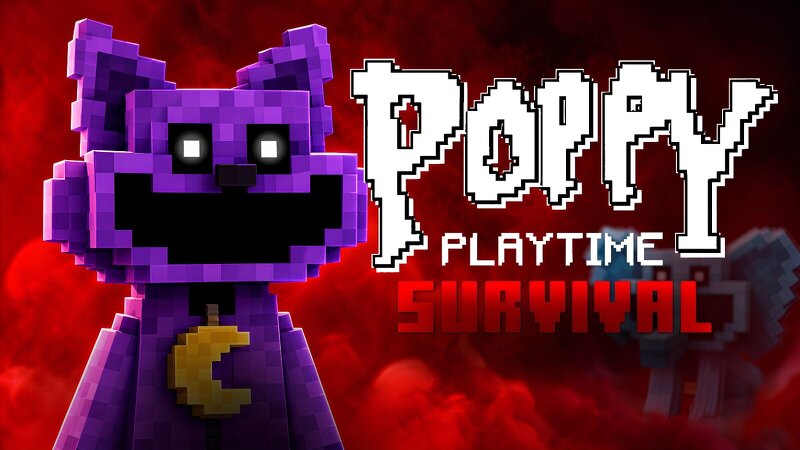
Download Poppy playtime Survival demo — free Minecraft map. Created by Alexandretnt. Tagged adventure, aventura, challenge adventure, demo. Get the world/schematic file when available and explore more free maps on Eaglercraft Studio.
Creator notes
Tradução pro Br O map e feito de fã para fã Jogue com amigos E descubra mais sobre a fábrica Cada level e expirado no jogo original Cada lugar Descrição Você e seus amigos devem escapar da fábrica depois Que todos da fábrica e atacado Pra escapar vocês precisam procurar itens para conseguir abrir portas e utilizarem trem Cuidado com os monstros Cada lugar é perigoso do que outros O mapa terá mais atualizações com mais fases e com jogabilidade diferente Translation to English The map is made by fans for fans. Play with friends and discover more about the factory. Each level is based on the original game. Each location Description: You and your friends must escape the factory after everyone in the factory is attacked. To escape, you need to find items to open doors and use trains. Watch out for the monsters. Each place is more dangerous than others. The map will have more updates with more levels and different gameplay. Update atualização
Added value
What’s included on this page
Preview, categories, compatibility, and tools on this page — not a bare file mirror.
- Creator
- Alexandretnt
- Source
- Minecraft downloads library on Eaglercraft Studio
- Type
- Minecraft map / world
- Price
- Free download on Eaglercraft Studio
- Curation
- Listed with credit to Alexandretnt · studio preview & install guide
- Compatible with
- Minecraft Java (match version / loader in facts)
- Tags
- Adventure, Aventura, Challenge Adventure, Demo, Game, Horror
Install guide
How to install this free Minecraft map
Eaglercraft Studio map listing with preview, creator credit, and install steps for Java worlds.
- 1Download the world archive (.zip / .mcworld / schematic) when available.
- 2For Java: extract into your .minecraft/saves folder (or import via your launcher).
- 3Launch Minecraft, select the world, and play. Keep a backup before overwriting saves.
Check any version notes in the facts panel — maps often target a specific Minecraft release.
Related free maps
More curated maps from the same library section.

CraftyFoxe · 761 diamonds · 418 views

CraftyFoxe · 761 diamonds · 339 views

CraftyFoxe · 761 diamonds · 319 views

CraftyFoxe · 761 diamonds · 306 views