
Pou Minecraft Map (Horror)
Creator: PomniTadc · 2026-09-11 · Maps · Free on Eaglercraft Studio
Download Pou Minecraft Map (Horror) — free Minecraft map. Created by PomniTadc. Tagged other. Get the world/schematic file when available and explore more free maps on Eaglercraft Studio.
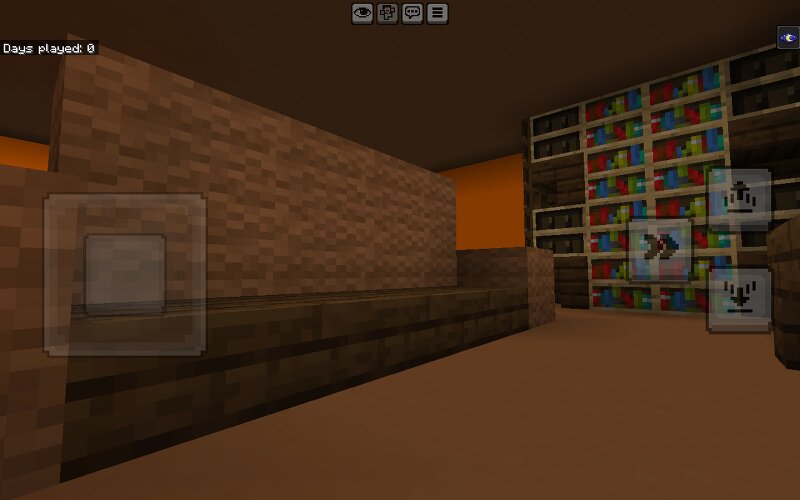
Creator notes
This Minecraft Map is not functional but you can make it functional About- Pou Horror Game The Pou Horror Game (most commonly known as Bou's Revenge or Pou's Revenge) is an indie survival horror parody based on the classic, cute 2012 mobile virtual pet game Pou.Premise & Gameplay LoopInnocent Beginnings: You start by taking care of a brown, triangle-shaped alien pet named Bou/Pou in a 3D house—feeding it, bathing it, and playing simple minigames.The Dark Twist: As you fulfill its needs, things start to go wrong. The lighting grows dim, eerie ambient noises begin, and the pet starts making strange, unsettling demands.Survival Horror Phase: Eventually, the pet mutates into a terrifying, killer monster that stalks you around the house. The game shifts from a pet simulator into an escape room survival game where you must solve puzzles and find keys to escape before the creature catches you.Key FeaturesMultiple Endings: Depending on how you interact with the pet and which hidden collectibles or easter eggs you find, you can unlock secret or alternate endings.Mascot Horror Parody: Similar to games like Five Nights at Freddy's, My Friendly Neighborhood, or Talking Juan, it subverts cute n
Added value
What’s included on this page
Preview, categories, compatibility, and tools on this page — not a bare file mirror.
- Creator
- PomniTadc
- Source
- Minecraft downloads library on Eaglercraft Studio
- Type
- Minecraft map / world
- Price
- Free download on Eaglercraft Studio
- Curation
- Listed with credit to PomniTadc · studio preview & install guide
- Compatible with
- Minecraft Java (match version / loader in facts)
- Tags
- Other
Install guide
How to install this free Minecraft map
Eaglercraft Studio map listing with preview, creator credit, and install steps for Java worlds.
- 1Download the world archive (.zip / .mcworld / schematic) when available.
- 2For Java: extract into your .minecraft/saves folder (or import via your launcher).
- 3Launch Minecraft, select the world, and play. Keep a backup before overwriting saves.
Check any version notes in the facts panel — maps often target a specific Minecraft release.
Related free maps
More curated maps from the same library section.

CraftyFoxe · 761 diamonds · 418 views

CraftyFoxe · 761 diamonds · 339 views

CraftyFoxe · 761 diamonds · 319 views

CraftyFoxe · 761 diamonds · 306 views