
Red World map (HOI4)
Creator: Nikita2008 · 2026-09-29 · Maps · Free on Eaglercraft Studio
Download Red World map (HOI4) — free Minecraft map. Created by Nikita2008. Tagged other. Get the world/schematic file when available and explore more free maps on Eaglercraft Studio.
Creator notes
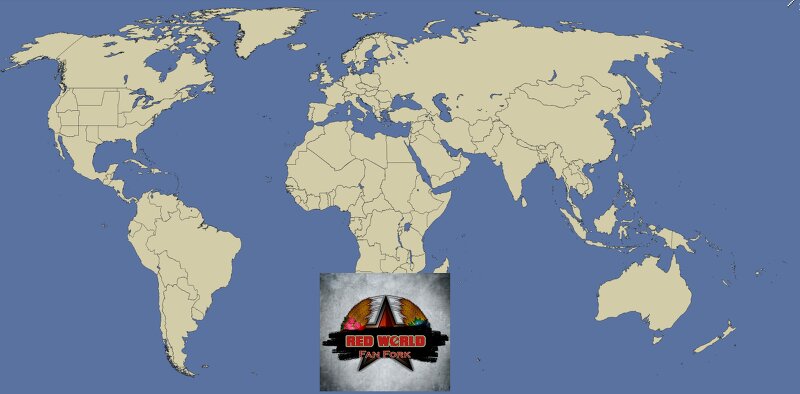
ENG: Here's another mod for the game Hearts of Iron 4 (HOI4) called "Red World." The events of this mod begin in an alternate 2010, where the Soviet Union won the Cold War, and the United States has fragmented into separate states. It all started in 1953: Instead of Nikita Khrushchev, Lavrentiy Beria came to power in the USSR. He initiated more successful economic reforms, somewhat similar to Gorbachev's "Perestroika" from real history. However, Beria pulled a trick: he fabricated reports about Soviet military spending, which resulted in the United States spending far more on armaments than the USSR. Consequently, in the 1960s and 1970s, the USSR made huge breakthroughs in science and space, and it was even the FIRST to land humans on the Moon. This caused countries in Western Europe to wonder, "Is communism really so bad?" As a result, France, Italy, West Germany, the United Kingdom, and other countries became socialist/communist. The United States lost its influence over Western Europe, and due to a severe economic crisis caused by its past involvement in the Vietnam War and resource depletion, the United States officially dissolved in 1987. After the collapse of the United State
Added value
What’s included on this page
Preview, categories, compatibility, and tools on this page — not a bare file mirror.
- Creator
- Nikita2008
- Source
- Minecraft downloads library on Eaglercraft Studio
- Type
- Minecraft map / world
- Price
- Free download on Eaglercraft Studio
- Curation
- Listed with credit to Nikita2008 · studio preview & install guide
- Compatible with
- Minecraft Java (match version / loader in facts)
- Tags
- Other
Install guide
How to install this free Minecraft map
Eaglercraft Studio map listing with preview, creator credit, and install steps for Java worlds.
- 1Download the world archive (.zip / .mcworld / schematic) when available.
- 2For Java: extract into your .minecraft/saves folder (or import via your launcher).
- 3Launch Minecraft, select the world, and play. Keep a backup before overwriting saves.
Check any version notes in the facts panel — maps often target a specific Minecraft release.
Related free maps
More curated maps from the same library section.

CraftyFoxe · 761 diamonds · 418 views

CraftyFoxe · 761 diamonds · 339 views

CraftyFoxe · 761 diamonds · 319 views

CraftyFoxe · 761 diamonds · 306 views