
Reupload des maps XCub
Creator: Projet-Xcub · 2026-09-24 · Maps · Free on Eaglercraft Studio
Download Reupload des maps XCub — free Minecraft map. Created by Projet-Xcub. Tagged dravin, ganshi, oafa, other. Get the world/schematic file when available and explore more free maps on Eaglercraft Studio.
Creator notes
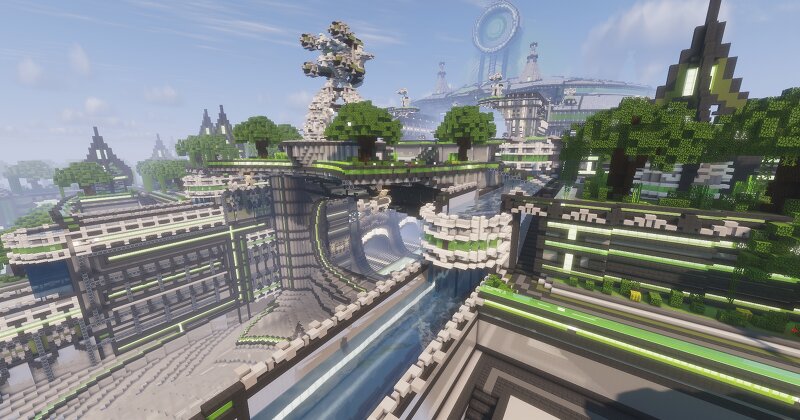
Suite au leak avant la 1.20.1, nous avons décidé de remettre à disposition les anciennes ressources de XCub afin de permettre à la communauté de retrouver et préserver le contenu historique du projet. Vous pouvez retrouver notamment : Les anciennes maps XCub en Minecraft 1.6.4 Les schematics Les mods associés Les anciennes versions de Titan Différentes ressources liées aux anciennes versions du serveur Important : sources officielles Ce reupload s'inscrit dans le cadre du projet XCub. Pour éviter les copies, faux reuploads ou informations provenant de sources non officielles, référez-vous aux canaux officiels : Site officiel : DOWNLOAD MAPS Site officiel XCUB X : https://xcubx.com/ Discord officiel XCub : https://discord.gg/xcub Le projet continue en 1.20.1 XCub continue également son développement avec un portage vers Minecraft 1.20.1 . Le serveur et le projet actuel sont disponibles sur : https://xcubx.com/ Le site officiel présente notamment le launcher et le serveur XCUB X en 1.20.1. Licence Attention : les maps, schematics, mods, anciennes versions de Titan et autres ressources ne sont pas nécessairement libres d'utilisation. Une licence et des conditions d'utilisation officie
Added value
What’s included on this page
Preview, categories, compatibility, and tools on this page — not a bare file mirror.
- Creator
- Projet-Xcub
- Source
- Minecraft downloads library on Eaglercraft Studio
- Type
- Minecraft map / world
- Price
- Free download on Eaglercraft Studio
- Curation
- Listed with credit to Projet-Xcub · studio preview & install guide
- Compatible with
- Minecraft Java (match version / loader in facts)
- Tags
- Dravin, Ganshi, Oafa, Other, Titan, Xcub
Install guide
How to install this free Minecraft map
Eaglercraft Studio map listing with preview, creator credit, and install steps for Java worlds.
- 1Download the world archive (.zip / .mcworld / schematic) when available.
- 2For Java: extract into your .minecraft/saves folder (or import via your launcher).
- 3Launch Minecraft, select the world, and play. Keep a backup before overwriting saves.
Check any version notes in the facts panel — maps often target a specific Minecraft release.
Related free maps
More curated maps from the same library section.

CraftyFoxe · 761 diamonds · 418 views

CraftyFoxe · 761 diamonds · 339 views

CraftyFoxe · 761 diamonds · 319 views

CraftyFoxe · 761 diamonds · 306 views