
Russian Consulate General in Istanbul (SCHEMATIC INCLUDED)
Creator: lale1i · 2026-09-28 · Maps · Free on Eaglercraft Studio
Download Russian Consulate General in Istanbul (SCHEMATIC INCLUDED) — free Minecraft map. Created by lale1i. Tagged ambassador, architecture, avenue, blacksea. Get the world/schematic file when available and explore more free maps on Eaglercraft Studio.
Creator notes
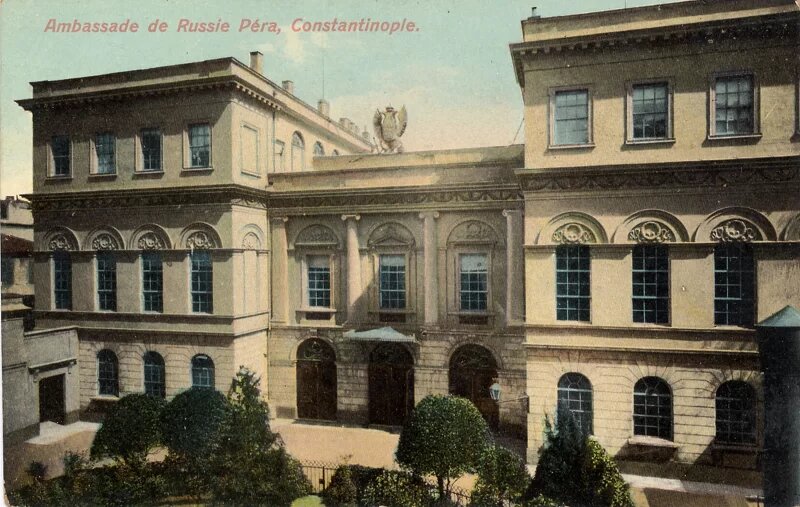
Hello everyone! Required Packs: Resource Packs: Alacrity Better Stained Glass Macaw's Fences and Walls Shader: Eclipse Unstable Architecture mod: Pillars & Arches In this project, I built the historical Russian Consulate General located in Istanbul. This build is 100% my own original work, designed and built block by block. About the Building: The original building was designed by the famous architect Gaspare Fossati in the 19th century. Although the real building is located in the city center, I built it by the sea in my own Minecraft world, which gives it a magnificent atmosphere. I have included 3 different schematic in ZIP files so you can easily paste it into your worlds according to your needs: Building Only: Just the main structure without any landscaping. Building + Garden: The main structure along with the detailed garden. Building + Garden + Water: The full version, including the coastal/water details as I originally built it by the sea. Hope you enjoy it!
Added value
What’s included on this page
Preview, categories, compatibility, and tools on this page — not a bare file mirror.
- Creator
- lale1i
- Source
- Minecraft downloads library on Eaglercraft Studio
- Type
- Minecraft map / world
- Price
- Free download on Eaglercraft Studio
- Curation
- Listed with credit to lale1i · studio preview & install guide
- Compatible with
- Minecraft Java (match version / loader in facts)
- Tags
- Ambassador, Architecture, Avenue, Blacksea, Build, Builder
Install guide
How to install this free Minecraft map
Eaglercraft Studio map listing with preview, creator credit, and install steps for Java worlds.
- 1Download the world archive (.zip / .mcworld / schematic) when available.
- 2For Java: extract into your .minecraft/saves folder (or import via your launcher).
- 3Launch Minecraft, select the world, and play. Keep a backup before overwriting saves.
Check any version notes in the facts panel — maps often target a specific Minecraft release.
Related free maps
More curated maps from the same library section.

CraftyFoxe · 761 diamonds · 418 views

CraftyFoxe · 761 diamonds · 339 views

CraftyFoxe · 761 diamonds · 319 views

CraftyFoxe · 761 diamonds · 306 views