
SANS SMP UNOFFICIAL PORT JAVA
Creator: beenzy · 2026-09-30 · Maps · Free on Eaglercraft Studio
Download SANS SMP UNOFFICIAL PORT JAVA — free Minecraft map. Created by beenzy. Tagged other. Get the world/schematic file when available and explore more free maps on Eaglercraft Studio.
Creator notes
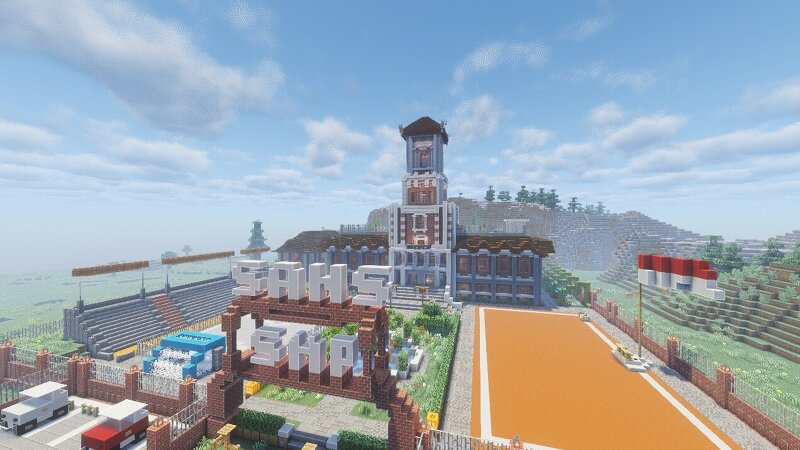
SansSMPS4 – Bedrock to Java ConversionOriginally created by LeoPrince for Minecraft Bedrock Edition, this map has been carefully converted to Minecraft Java Edition.CreditsMap Design & Original Creation: LeoPrinceBedrock → Java Conversion: Performed using Chunker (official open-source converter by Hive Games)About the MapSansSMPS4 is a custom world originally built on Bedrock. It features unique builds, interactive NPCs, and custom elements that give it a distinctive atmosphere. The conversion preserves the terrain, structures, biomes, and most of the original layout so Java players can experience the map as closely as possible to the Bedrock version.Conversion NotesConverted from Bedrock 26.50 to Java 26.2Terrain, blocks, and structures successfully transferredSome custom entities and NPCs may not fully carry over due to differences between Bedrock and JavaMaps and world data have been retainedHow to PlayDownload the world folderPlace it in your .minecraft/saves directoryLaunch Minecraft Java Edition (26.2x recommended)Load the world and explorePlease respect the original creator. All credit for the map design and content goes to LeoPrince. This Java version is provided as a commu
Added value
What’s included on this page
Preview, categories, compatibility, and tools on this page — not a bare file mirror.
- Creator
- beenzy
- Source
- Minecraft downloads library on Eaglercraft Studio
- Type
- Minecraft map / world
- Price
- Free download on Eaglercraft Studio
- Curation
- Listed with credit to beenzy · studio preview & install guide
- Compatible with
- Minecraft Java (match version / loader in facts)
- Tags
- Other
Install guide
How to install this free Minecraft map
Eaglercraft Studio map listing with preview, creator credit, and install steps for Java worlds.
- 1Download the world archive (.zip / .mcworld / schematic) when available.
- 2For Java: extract into your .minecraft/saves folder (or import via your launcher).
- 3Launch Minecraft, select the world, and play. Keep a backup before overwriting saves.
Check any version notes in the facts panel — maps often target a specific Minecraft release.
Related free maps
More curated maps from the same library section.

CraftyFoxe · 761 diamonds · 418 views

CraftyFoxe · 761 diamonds · 339 views

CraftyFoxe · 761 diamonds · 319 views

CraftyFoxe · 761 diamonds · 306 views