
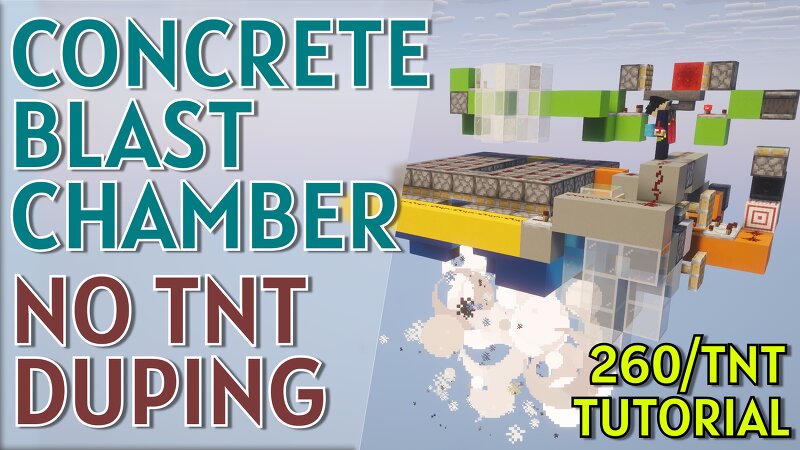
Semi-Automatic Concrete Blast Chamber - No TNT Duping (260 blocks/TNT)
Creator: SciSyf · 2026-09-28 · Maps · Free on Eaglercraft Studio
Download Semi-Automatic Concrete Blast Chamber - No TNT Duping (260 blocks/TNT) — free Minecraft map. Created by SciSyf. Tagged redstone device. Get the world/schematic file when available and explore more free maps on Eaglercraft Studio.
Creator notes
A really cool blast chamber that allows you to place concrete get it blown up. It has a smart counter system that automatics decides when to dispense the TNT, lock up the system and then time the push perfectly to reduce the blocks down to a zero blast resistance. This gives an awesome efficiency of 260 blocks per TNT. It then relaunches everything, so you can just stand there with the right mouse button pressed down and it handles everything (a system to feed in extra concrete hasn't been added, but you can borrow power from the main concrete pusher and direct it to a dropper for that) If you don't have enough TNT, you can pass other blocks from a generator like basalt or stone to fill up the requirement. No TNT duping, so this should work on most multiplayer servers. The moving block trick doesn't work on Bedrock - you can get it to work by reducing the number of items in the dropper clock to another odd number, but the efficiency will not be the same. Important: The number of items in the dropper counter are 7, and the items in the hopper delay are 5. These are very important. The items in the dropper counter after an explosion goes down to 6 - this is as intended, don't worry a
Added value
What’s included on this page
Preview, categories, compatibility, and tools on this page — not a bare file mirror.
- Creator
- SciSyf
- Source
- Minecraft downloads library on Eaglercraft Studio
- Type
- Minecraft map / world
- Price
- Free download on Eaglercraft Studio
- Curation
- Listed with credit to SciSyf · studio preview & install guide
- Compatible with
- Minecraft Java (match version / loader in facts)
- Tags
- Redstone Device
Install guide
How to install this free Minecraft map
Eaglercraft Studio map listing with preview, creator credit, and install steps for Java worlds.
- 1Download the world archive (.zip / .mcworld / schematic) when available.
- 2For Java: extract into your .minecraft/saves folder (or import via your launcher).
- 3Launch Minecraft, select the world, and play. Keep a backup before overwriting saves.
Check any version notes in the facts panel — maps often target a specific Minecraft release.
Related free maps
More curated maps from the same library section.

CraftyFoxe · 761 diamonds · 418 views

CraftyFoxe · 761 diamonds · 339 views

CraftyFoxe · 761 diamonds · 319 views

CraftyFoxe · 761 diamonds · 306 views