
SilverMiner's 1st world
Creator: SilverMiner · 2026-09-15 · Maps · Free on Eaglercraft Studio
Download SilverMiner's 1st world — free Minecraft map. Created by SilverMiner. Tagged aether, beta, other. Get the world/schematic file when available and explore more free maps on Eaglercraft Studio.
Creator notes
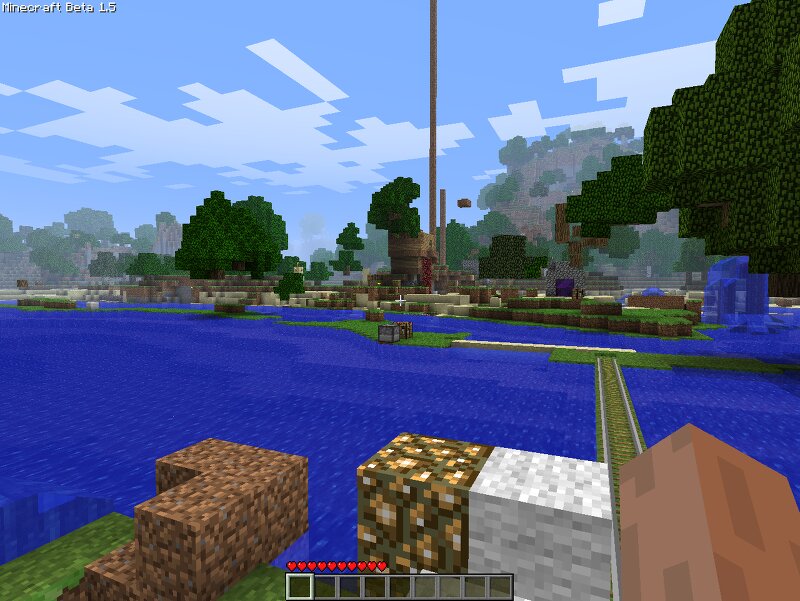
Hi I'm SilverMiner, mostly Doom hacker. This is my first ever Minecraft world from 2011 called sergey. The seed is 1907878852786615026. Created in either beta 1.5 or beta 1.5_01. Or 1.5_02, I'm not sure now. This branch of the world had been used with Aether 1.02 mod. I might upload 1.7.3 beta version without Aether stuff. The story is long enough, I had to backport it from beta 1.9 to 1.7.3. I had swift crashes due to beef in a furnace somewhere on the island to the west (also pumpkin seeds and gold nuggets in da chest in the base, though it crashed only upon opening), this was a mystery to me since November 2011 until revealed and fixed in March 2024. Cuz I wanted to play this world with Aether mod in 1.7.3 beta. It has some beta 1.9 chunks somewhere. Maybe also some chests with illegal items, but i guess i deleted them in the whole world by tinkering with MCEdit-0.1.5.win32. Upd 12:30 16.09.2026: seed 1907878852786615026 reverses into 7 Aug 2011 21:35, which is fair enough as a date of creation
Added value
What’s included on this page
Preview, categories, compatibility, and tools on this page — not a bare file mirror.
- Creator
- SilverMiner
- Source
- Minecraft downloads library on Eaglercraft Studio
- Type
- Minecraft map / world
- Price
- Free download on Eaglercraft Studio
- Curation
- Listed with credit to SilverMiner · studio preview & install guide
- Compatible with
- Minecraft Java (match version / loader in facts)
- Tags
- Aether, Beta, Other
Install guide
How to install this free Minecraft map
Eaglercraft Studio map listing with preview, creator credit, and install steps for Java worlds.
- 1Download the world archive (.zip / .mcworld / schematic) when available.
- 2For Java: extract into your .minecraft/saves folder (or import via your launcher).
- 3Launch Minecraft, select the world, and play. Keep a backup before overwriting saves.
Check any version notes in the facts panel — maps often target a specific Minecraft release.
Related free maps
More curated maps from the same library section.

CraftyFoxe · 761 diamonds · 418 views

CraftyFoxe · 761 diamonds · 339 views

CraftyFoxe · 761 diamonds · 319 views

CraftyFoxe · 761 diamonds · 306 views