
Skyblock Kingdom 🏰
Creator: Coastline Creations · 2026-09-30 · Maps · Free on Eaglercraft Studio
Download Skyblock Kingdom 🏰 — free Minecraft map. Created by Coastline Creations. Tagged castle, coastline, coastlinecreations, fantasy. Get the world/schematic file when available and explore more free maps on Eaglercraft Studio.
Creator notes
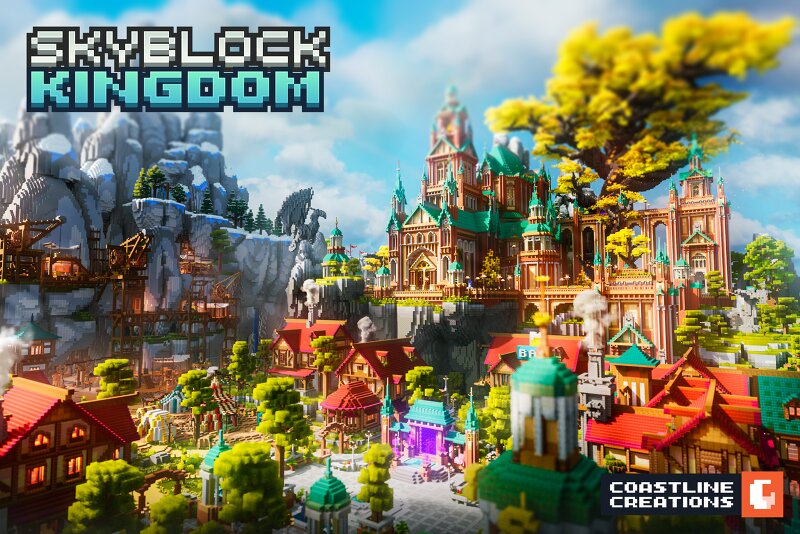
Skyblock Kingdom 🏰 A vast island rises from the mist, crowned by a towering castle that watches over its shores A vast island rises from the mist, crowned by a towering castle that watches over its shores. Towering cliffs, ancient forests, and rocky paths surround the imposing fortress, creating a majestic and mysterious atmosphere. Mist drifts between the hills as waves crash against the distant shores, while the castle stands untouched above the landscape. Explore its winding paths and discover an island suspended between mystery, adventure, and forgotten legends If you need help feel free to message me in Discord anytime! My username is itsme.to or create a ticket in the Discord I would love to help you! Guaranteed response within 24 hours. Website - https://coastline.gg/ Twitter - https://x.com/CoastlineCrew Discord - https://coastline.gg/discord Add the build to favorite to avoid losing it among the other maps! And thank you sooo much for diamonds and feedback, I appreciate it so much <3 Theo , CEO of Coastline Creations
Added value
What’s included on this page
Preview, categories, compatibility, and tools on this page — not a bare file mirror.
- Creator
- Coastline Creations
- Source
- Minecraft downloads library on Eaglercraft Studio
- Type
- Minecraft map / world
- Price
- Free download on Eaglercraft Studio
- Curation
- Listed with credit to Coastline Creations · studio preview & install guide
- Compatible with
- Minecraft Java (match version / loader in facts)
- Tags
- Castle, Coastline, Coastlinecreations, Fantasy, Kingdom, Other
Install guide
How to install this free Minecraft map
Eaglercraft Studio map listing with preview, creator credit, and install steps for Java worlds.
- 1Download the world archive (.zip / .mcworld / schematic) when available.
- 2For Java: extract into your .minecraft/saves folder (or import via your launcher).
- 3Launch Minecraft, select the world, and play. Keep a backup before overwriting saves.
Check any version notes in the facts panel — maps often target a specific Minecraft release.
Related free maps
More curated maps from the same library section.

CraftyFoxe · 761 diamonds · 418 views

CraftyFoxe · 761 diamonds · 339 views

CraftyFoxe · 761 diamonds · 319 views

CraftyFoxe · 761 diamonds · 306 views