
StarWars Arena 1.8.8
Creator: EaglerCraftMAPS · 2026-09-06 · Maps · Free on Eaglercraft Studio
Download StarWars Arena 1.8.8 — free Minecraft map. Created by EaglerCraftMAPS. Tagged eaglercraft, other, starwars. Get the world/schematic file when available and explore more free maps on Eaglercraft Studio.
Creator notes
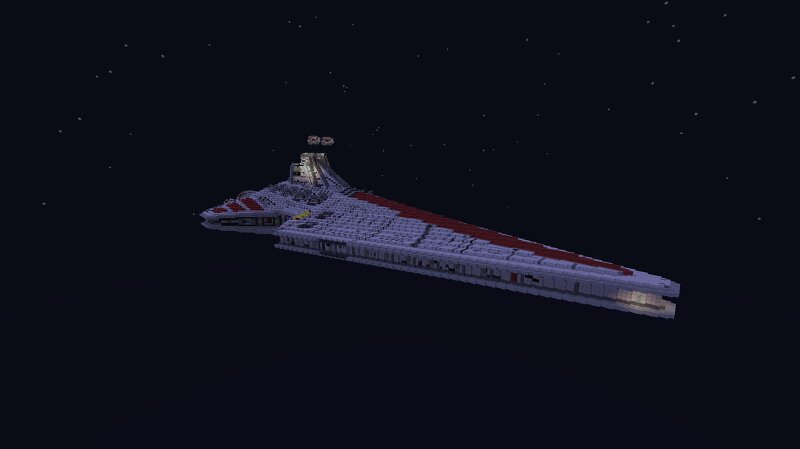
Star Wars Arena is a multiplayer combat map designed for fast-paced Star Wars battles . You can play with your friends and fight across the battlefield as the Rebel Alliance, Galactic Empire, or Jedi . The map is based on simple and fun Star Wars combat mechanics : Players choose their Star Wars faction or class Fight against enemy players across the arena Rebels and Empire battle for control of the battlefield Jedi can enter the battle with their lightsabers Players are eliminated when they lose the battle The last surviving team wins Star Wars Sets Choose your side: Rebel Fight for the Rebel Alliance with blasters and Rebel equipment. Empire Join the Galactic Empire and fight with Imperial weapons and armor. Jedi Enter the battlefield as a Jedi and wield a powerful lightsaber. There are also special and secret sets hidden around the map. Can you discover them all? Star Wars Arena is easy to understand and designed for fun, competitive multiplayer matches . Just load the map, choose your faction, enter the battlefield, and fight for the galaxy! No mods required.
Added value
What’s included on this page
Preview, categories, compatibility, and tools on this page — not a bare file mirror.
- Creator
- EaglerCraftMAPS
- Source
- Minecraft downloads library on Eaglercraft Studio
- Type
- Minecraft map / world
- Price
- Free download on Eaglercraft Studio
- Curation
- Listed with credit to EaglerCraftMAPS · studio preview & install guide
- Compatible with
- Minecraft Java (match version / loader in facts)
- Tags
- Eaglercraft, Other, Starwars
Install guide
How to install this free Minecraft map
Eaglercraft Studio map listing with preview, creator credit, and install steps for Java worlds.
- 1Download the world archive (.zip / .mcworld / schematic) when available.
- 2For Java: extract into your .minecraft/saves folder (or import via your launcher).
- 3Launch Minecraft, select the world, and play. Keep a backup before overwriting saves.
Check any version notes in the facts panel — maps often target a specific Minecraft release.
Related free maps
More curated maps from the same library section.

CraftyFoxe · 761 diamonds · 418 views

CraftyFoxe · 761 diamonds · 339 views

CraftyFoxe · 761 diamonds · 319 views

CraftyFoxe · 761 diamonds · 306 views