
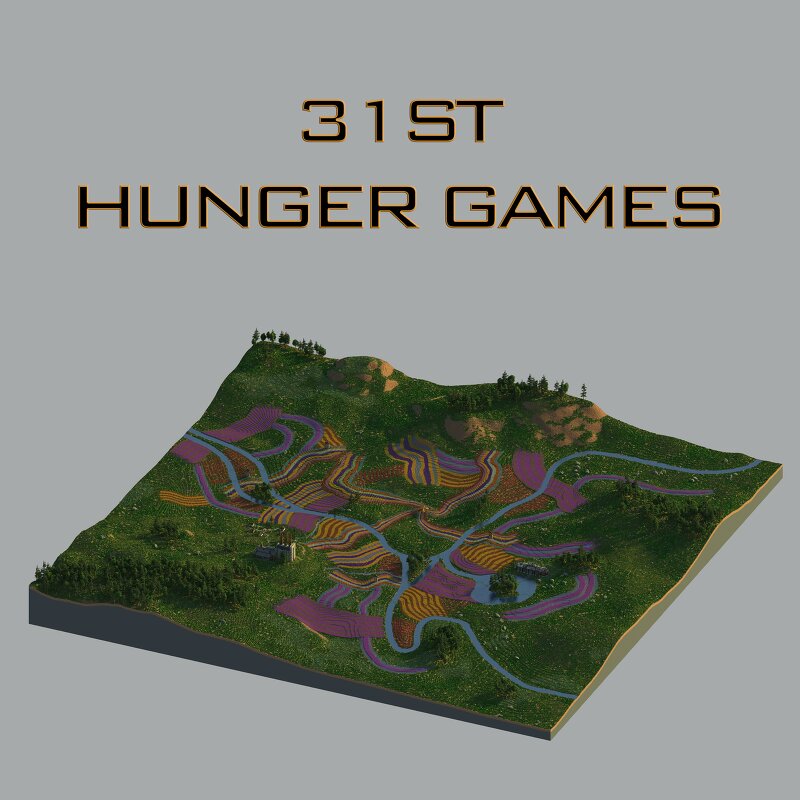
Tales of Panem - 31st Hunger Games Arena
Creator: Tales of Panem · 2026-08-30 · Maps · Free on Eaglercraft Studio
Download Tales of Panem - 31st Hunger Games Arena — free Minecraft map. Created by Tales of Panem. Tagged arena, district12, factory, flowers. Get the world/schematic file when available and explore more free maps on Eaglercraft Studio.
Creator notes
◊ Tales of Panem ◊ Thirty-First Hunger Games Arena The Thirty-First Hunger Games took place in the Painted Prairie Arena , where Emmet Morgan of District 12 emerged victorious. The arena was a vast, colorful prairie covered in beautiful flowers and towering windmills, hiding deadly dangers beneath its peaceful appearance. Violent lightning storms swept across the landscape, while swarms of ticks and wasps threatened tributes in the fields. An abandoned dye factory also stood within the arena, adding an eerie industrial contrast to the otherwise vibrant landscape. This map is not for download (yet). Want to take part in future Hunger Games events and immerse yourself in our RPG server? Join our Discord ( discord.gg/DvZxQdAVdh) and be part of the action! Join us at mc.talesofpanem.com May the odds be ever in your favor
Added value
What’s included on this page
Preview, categories, compatibility, and tools on this page — not a bare file mirror.
- Creator
- Tales of Panem
- Source
- Minecraft downloads library on Eaglercraft Studio
- Type
- Minecraft map / world
- Price
- Free download on Eaglercraft Studio
- Curation
- Listed with credit to Tales of Panem · studio preview & install guide
- Compatible with
- Minecraft Java (match version / loader in facts)
- Tags
- Arena, District12, Factory, Flowers, Forest, Hungergames
Install guide
How to install this free Minecraft map
Eaglercraft Studio map listing with preview, creator credit, and install steps for Java worlds.
- 1Download the world archive (.zip / .mcworld / schematic) when available.
- 2For Java: extract into your .minecraft/saves folder (or import via your launcher).
- 3Launch Minecraft, select the world, and play. Keep a backup before overwriting saves.
Check any version notes in the facts panel — maps often target a specific Minecraft release.
Related free maps
More curated maps from the same library section.

CraftyFoxe · 761 diamonds · 418 views

CraftyFoxe · 761 diamonds · 339 views

CraftyFoxe · 761 diamonds · 319 views

CraftyFoxe · 761 diamonds · 306 views